
Update
Release of the new version 8.5 of the ERP
Discover the main new features of this new version
Sommaire
Project-based management
These project-based management features are exclusive for Axelor Business Suite in the Pro and Enterprise versions.

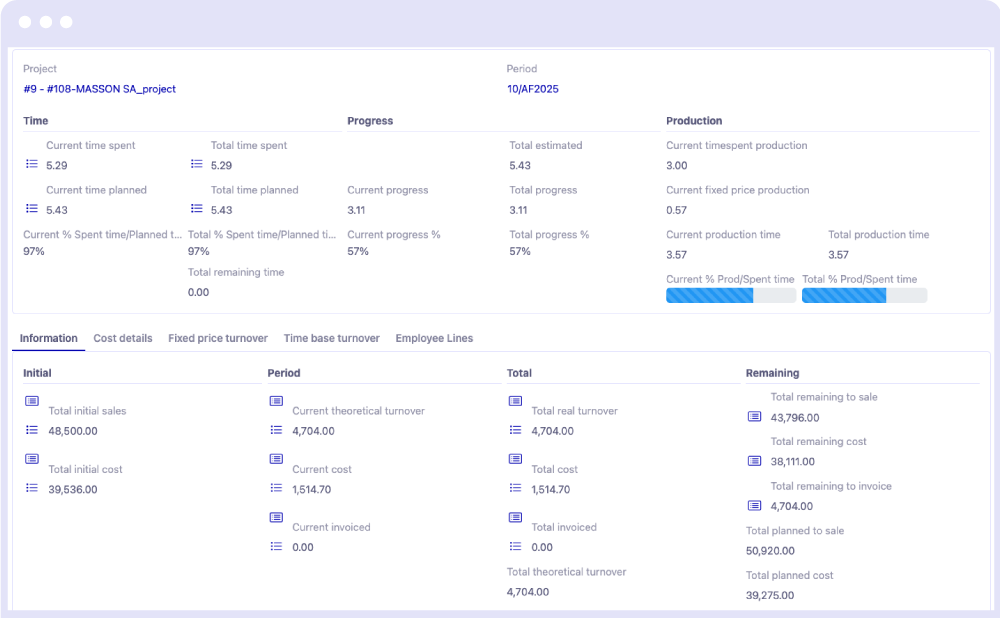
• Advanced project-based management reportings
Integration of new reports by project and by task providing advanced indicators for a real-time view of project progress. This includes time spent versus planned time, turnover already invoiced or remaining to be done, total costs, and margin calculations.
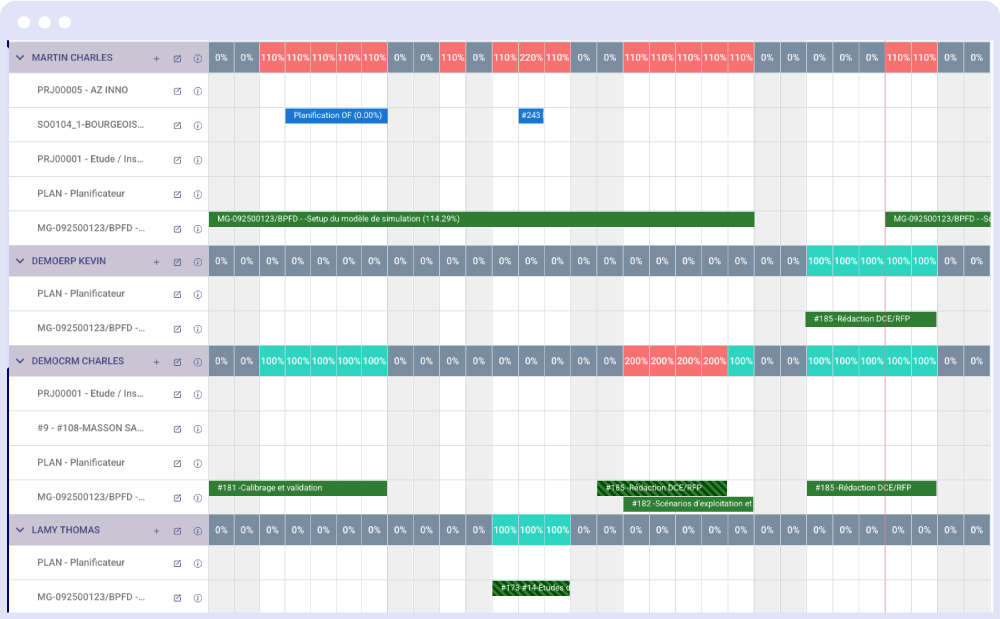
• Advanced planning
The planning module has benefited from numerous improvements , such as the ability to mass-shift schedules, or to create temporary schedules. A new schedule allowing visualization of planning by skills has also been added. You can now very easily identify the availability of collaborators based on your skill needs for upcoming projects.
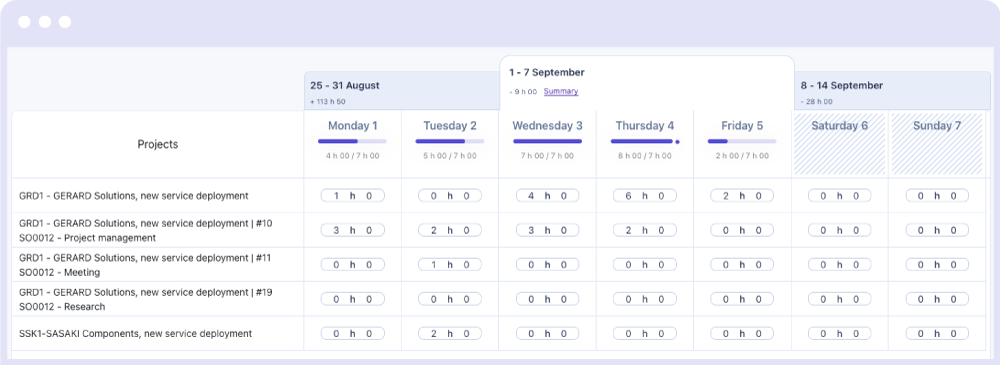
• New timesheet
Integration of a new, much more user-friendly timesheet allows employees to quickly record their time spent on projects. The days of the period are now automatically displayed, and the employee’s ongoing projects are automatically added to the timesheet. All they have to do is enter their time.
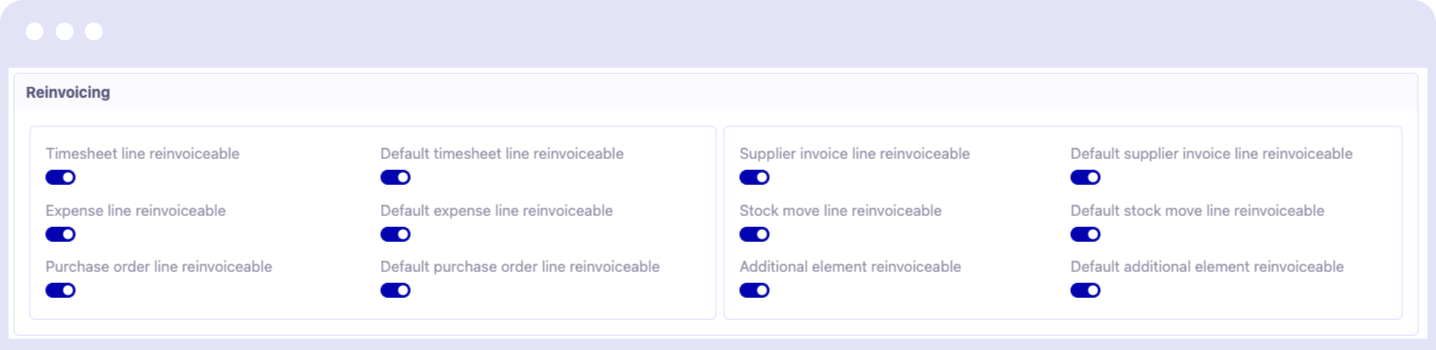
• Complete restructuring of project-based invoicing
Project-based invoicing has been improved to take into account more scenarios, and allow you to choose exactly what you want to bill for in a case.
HR
- Multi-currency expense report management.
- Mass generation of leave requests.
- Redesign of job applications.
Purchases
- Possibility to modify a validated purchase order.
- Generation of purchase orders from calls for tender.
- Generation of a call for tender from the net requirements calculation (MRP).
Sales / Contracts
- Addition of a transport price on customer orders.
- Addition of a button to create interventions from a contract.
Accounting / Bank Payment
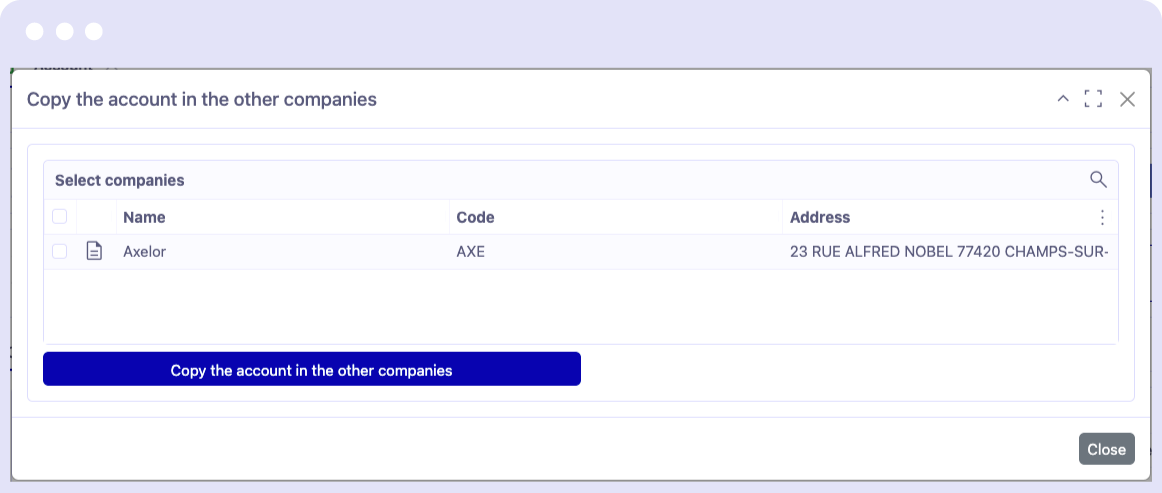
- Automatic propagation of accounting accounts across multiple companies to automatically create accounting accounts in a multi-company structure.
- Integration of the CAMT053 banking format
Stock / Supply Chain
Addition of a default stock location on products
This new feature allows selecting source and destination stock locations by site.

Transport of dangerous goods (ADR)
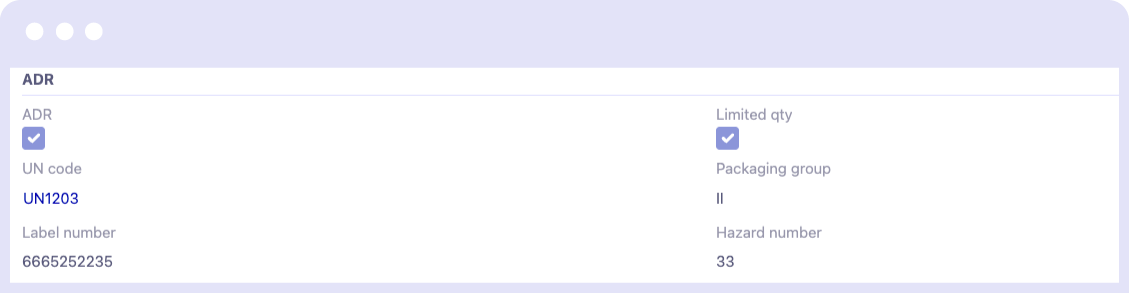
In the Packaging tab of a product sheet, a new “ADR” section is present for the transport of dangerous goods with the information required for the transport of this type of product.
This information appears on the printout of stock movements that contain hazardous products.
Packaging management in an order
A new type of packaging product has been created. It is possible to configure whether this packaging is returnable, its internal and external dimensions, the minimum and maximum weights it can support, and finally its packaging level (box, pallet, or container).
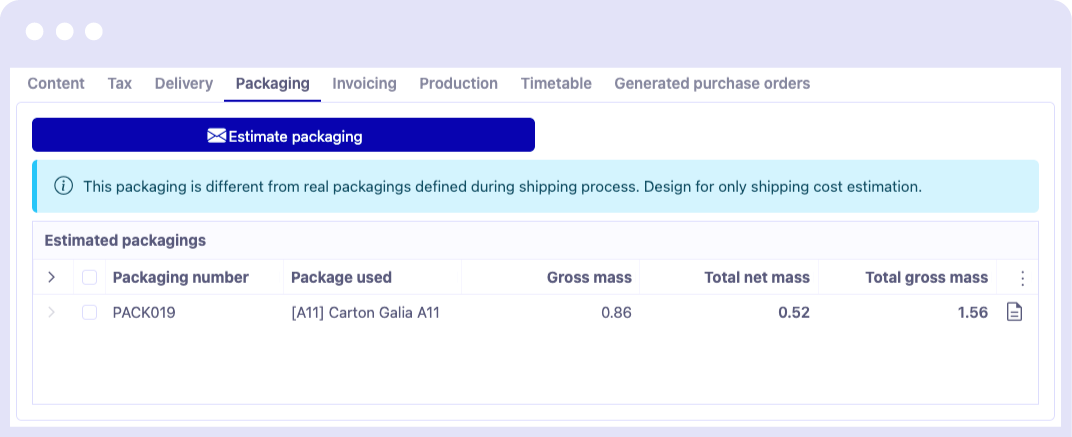
A “Packaging” tab has also been added to the order form, allowing users to run a simulation that calculates the estimated packaging for their products. The system will suggest the optimal packaging that requires the fewest possible boxes, and will do the same for pallet-type packaging.
Finally, in the “Packaging” tab of a product sheet, it is possible to set a default packaging for this item. Once configured, the provisional packaging algorithm will mandatorily take this solution for the provisional packaging.
Packaging management in a logistics sheet
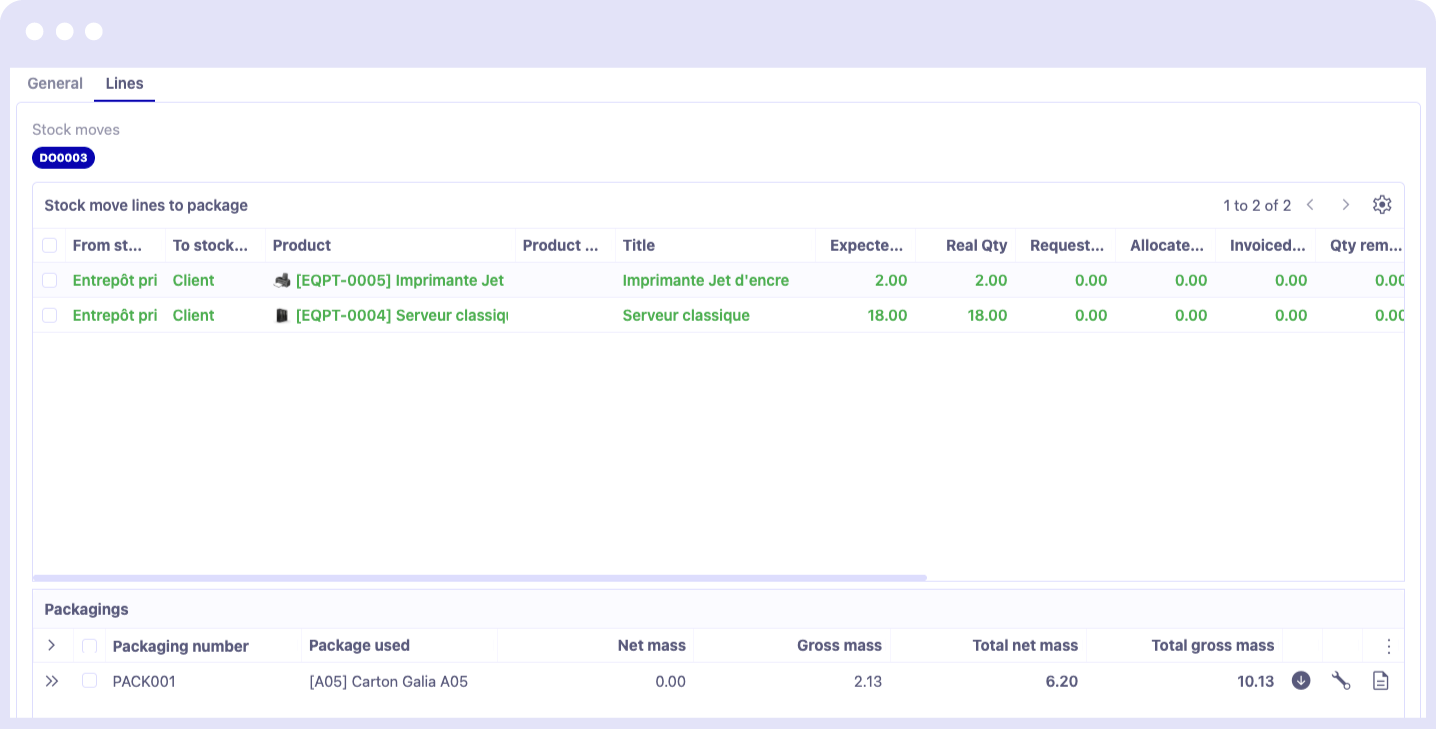
From a logistics sheet, it is now possible to define the packaging of added stock movements.
You have a summary of the packaging progress for the products remaining to be packaged. The logistics sheet has also been improved with multi-client management, which will allow centralizing deliveries for several customers on one logistics sheet.
Project management
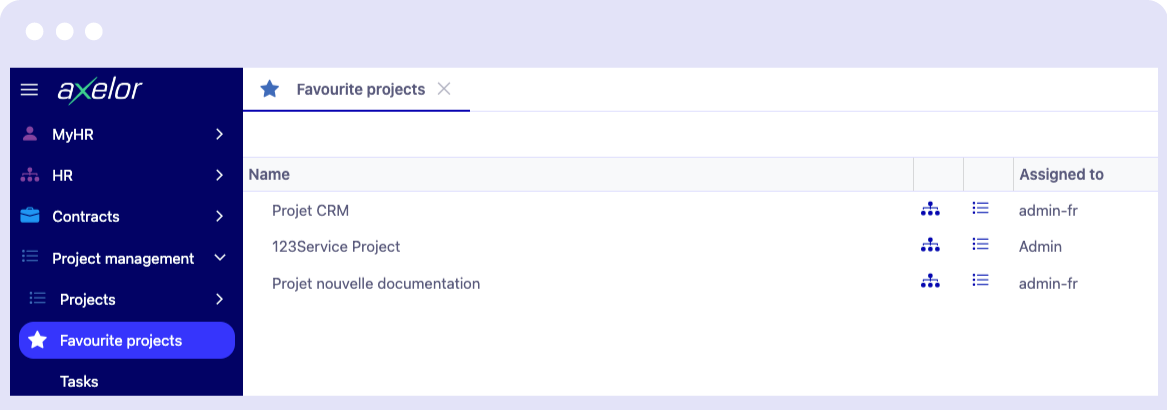
Addition of favorite projects and observer members
It is now possible to select favorite projects from a user profile. A new menu is then available from the Projects menu, providing access to a tree view of your favorite projects.
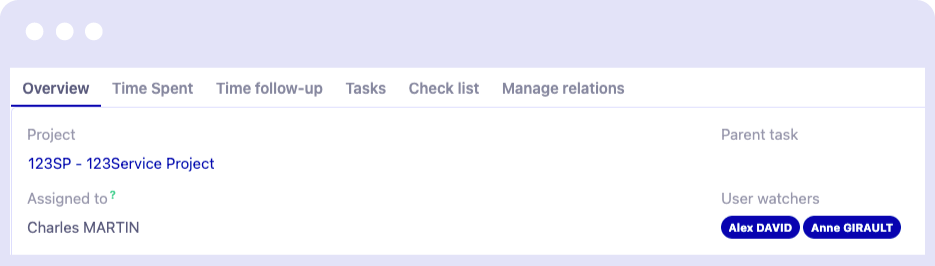
It is also possible from within a task to select observer members, who automatically receive notifications when changes are made to the task.
Quality
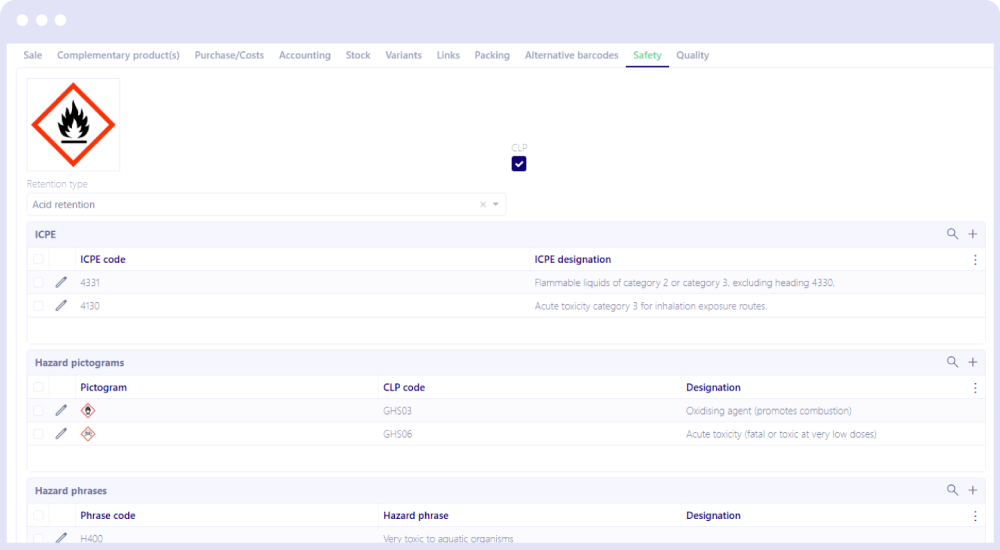
Product data sheet for chemistry (CLP)
A new safety tab on the product page allows you to enter all the information regarding the handling and transport of the product.
Product characteristics
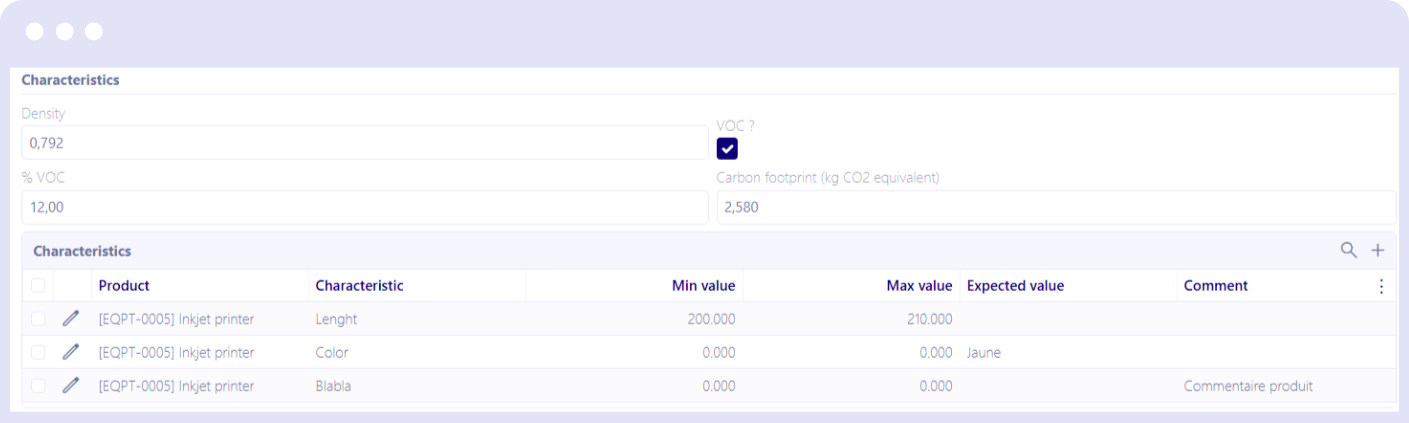
Product characteristics allow defining compliance control criteria in the Safety tab of each product sheet. First, a characteristic type (measurable, list, or comment) is created with its parameters (unit, possible values, etc.). Then, the expected values for these characteristics are associated with each product (min/max range, specific value, or simple comment). These characteristics are then automatically included in the product’s batches or tracking numbers.
In the tracking numbers, a Characteristics tab allows checking the conformity of each batch: if all characteristics are compliant, the batch is declared compliant, otherwise non-compliant.
Required document
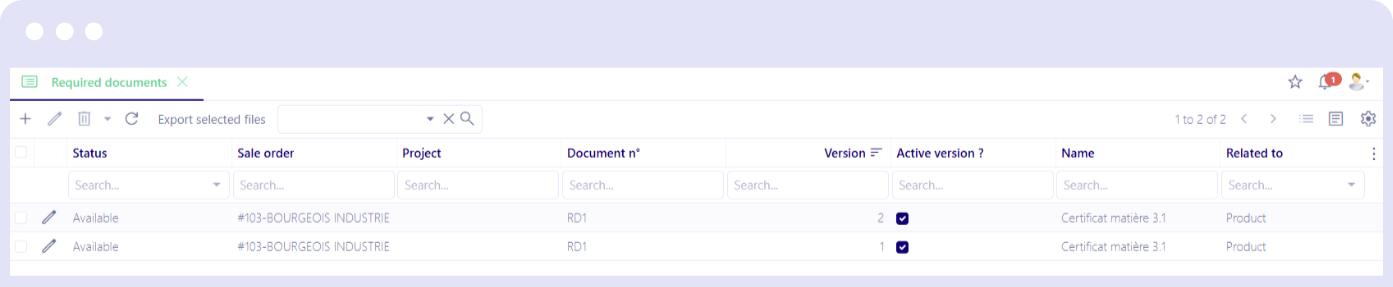
A new “Required Document” object, accessible from the Documents menu, allows you to create documents and link them to an object (Product, Purchase Order, Manufacturing Order). You can then track their status (available, obsolete) and download them as a ZIP file to attach to an order, for example.
Mobile application
New module for managing maintenance requests
A new Maintenance module is available in the application for equipment maintenance requests from the mobile app.

General features
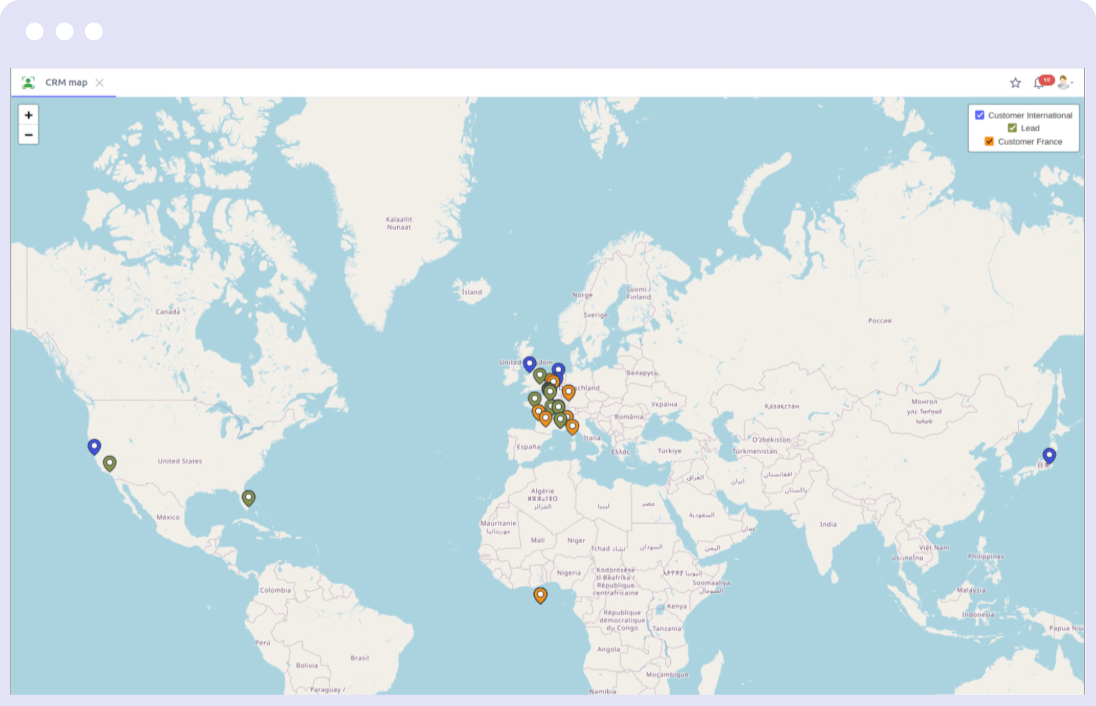
Map view creation assistant
Easily create new cards in the ERP using a Low Code configurator. Additionally, it’s possible to associate a form view that will automatically open from a card when a user double-clicks a popup.
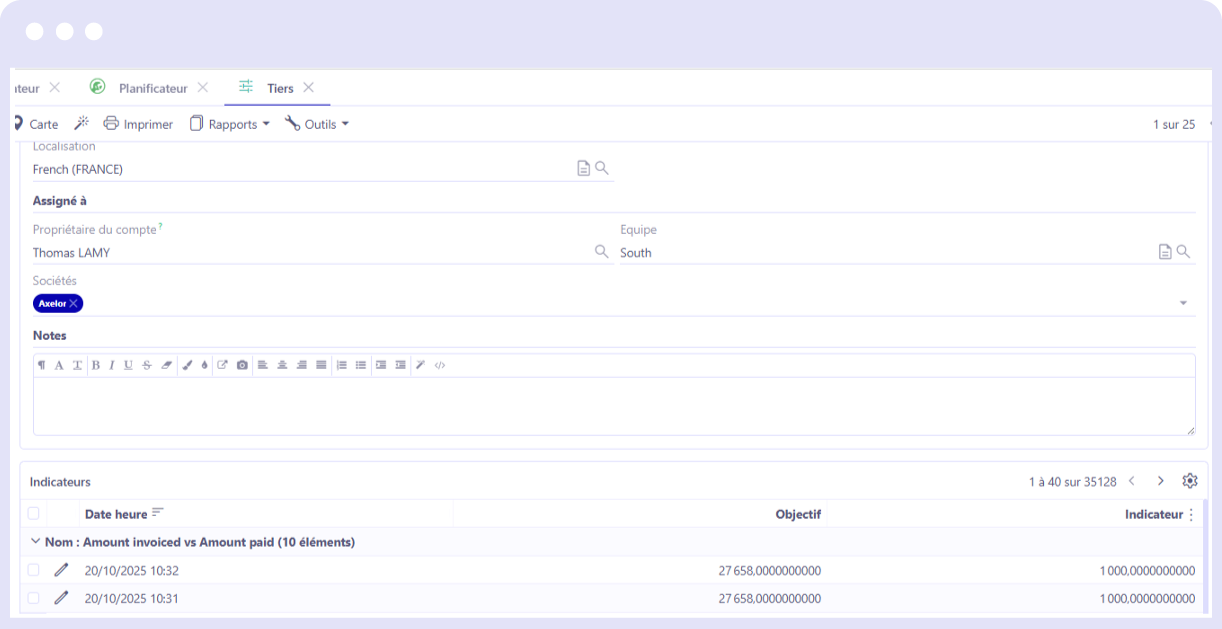
Indicator configurator
An indicator configurator has been added to allow the creation of business indicators by configuring calculation formulas. The indicators can then be displayed in the view of your choice.