
Agentic ERP for Manufacturing and Production | Axelor
Axelor Factory Suite

The agentic ERP for manufacturing and production

One suite built around production: from the bill of materials to delivery, run your works orders, your stock and your quality. Agentic AI working on your shop floor and your margins.

Production management built in AI agents included Open source, French software vendor
Finite-capacity production scheduling in Axelor Factory Suite
Who it is for

A solution that fits each type of manufacturing

Every plant has its own production, quality and traceability constraints. Factory Suite adapts to your processes and to your trades.

Manufacturing industries

Production, assembly and processing
MetalworkingElectronicsMechanical engineeringAssembly

Make to order

Engineer to order and small batches
Project-based manufacturingIndustrial joinerySheet metal fabricationBespoke equipment
The business thread

One chain, from order to delivery

These five stages live in the same system. A time booking on the shop floor feeds straight through to the true cost of the batch, with no re-keying.

Demand planMRP RUN
Firm orders42
Forecast8 weeks
Components short6 references
Coverage94%
Standard in Axelor

Forecasts turn into a production plan. The components to be ordered surface before they run out.

Axelor AI for manufacturing

AI that acts on your production

Your agents have access to every works order, every stock level and every time booking. They do more than answer: they act on your data, within the permissions you set.
Prediction

Flags a shortage before the line stops

"Which components will run short over the next four weeks?"

The agent detects the coverage gap, alerts the planner and drafts the purchase request.

Optimisation

Reschedules after a breakdown

"Machine 3 is down until Thursday, reschedule the week."

The agent recalculates the schedule at finite capacity against the priorities, then reassigns the orders.

Retrieval

Traces a batch in seconds

"Which batches used this component, and where did they go?"

The agent queries the traceability chain, consolidates the batches concerned and returns a sourced answer.

No-Code

Builds the report you are missing

"Add a dashboard showing scrap rate by work centre."

Agent Studio creates the dashboard and the fields it needs, without a line of code.

Your permissions apply before any data is accessed. Every request goes through a layer that checks the user's rights: the agent only sees and only changes what that person is allowed to see and change. Axelor does not use your data to train any model, and you choose the provider.
Scheduling

Schedule your production at finite capacity

Place your works orders taking the capacity of each work centre into account. Scheduling is managed by drag and drop, and every change in priority feeds through to the shop floor immediately.
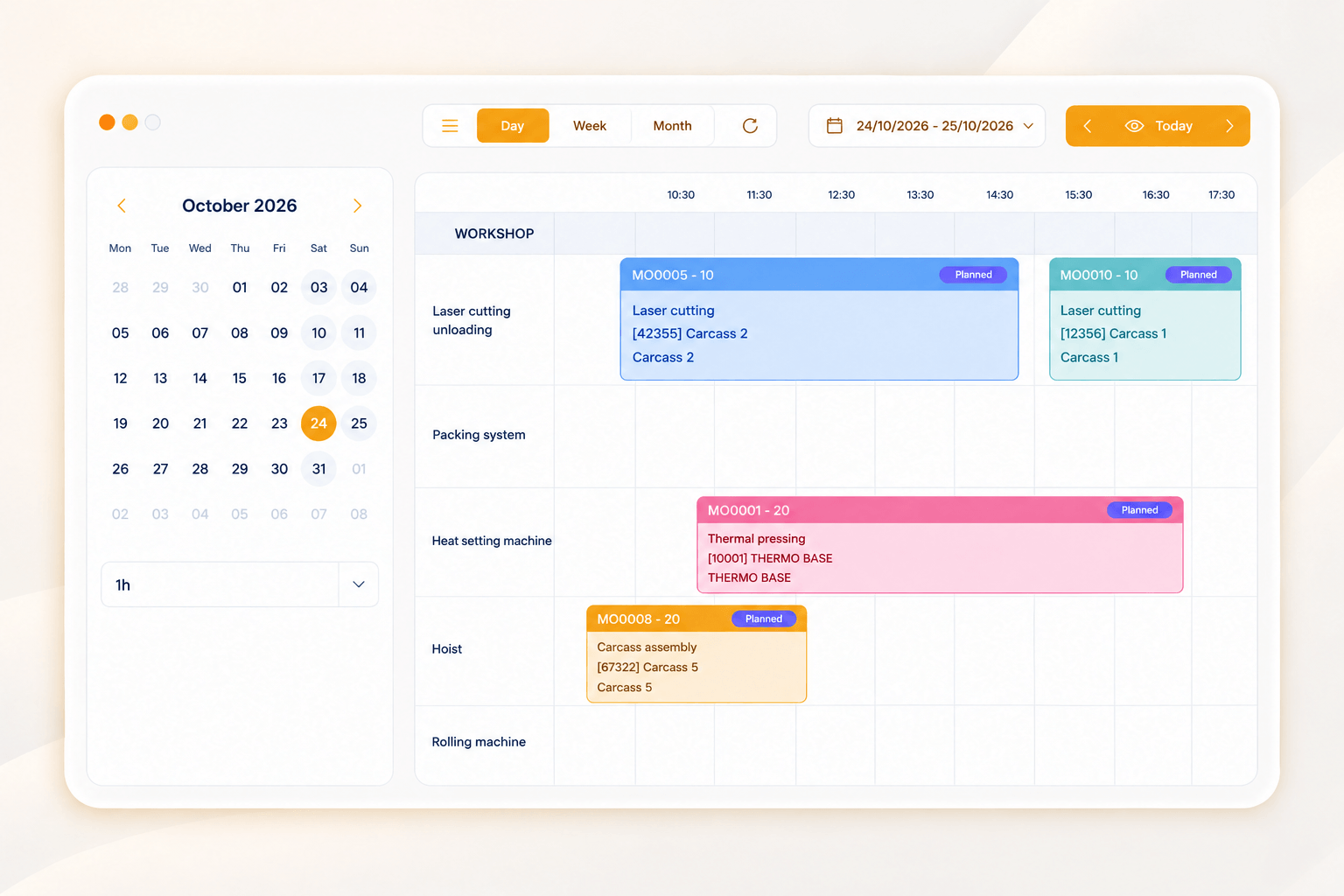
Graphical scheduling at finite capacity
Small batches, large runs or make to order
Rescheduling by drag and drop
Priorities reflected on the shop floor immediately
Graphical finite-capacity production scheduling in Axelor
Agent on handWhen a machine goes down or a delivery slips, the agent recalculates the schedule at finite capacity and flags the orders at risk.
Works orders

The shop floor under control, from release to actuals

Works orders come straight from the bill of materials and the routing. Times and material consumption are booked as the work happens, not reconstructed afterwards.
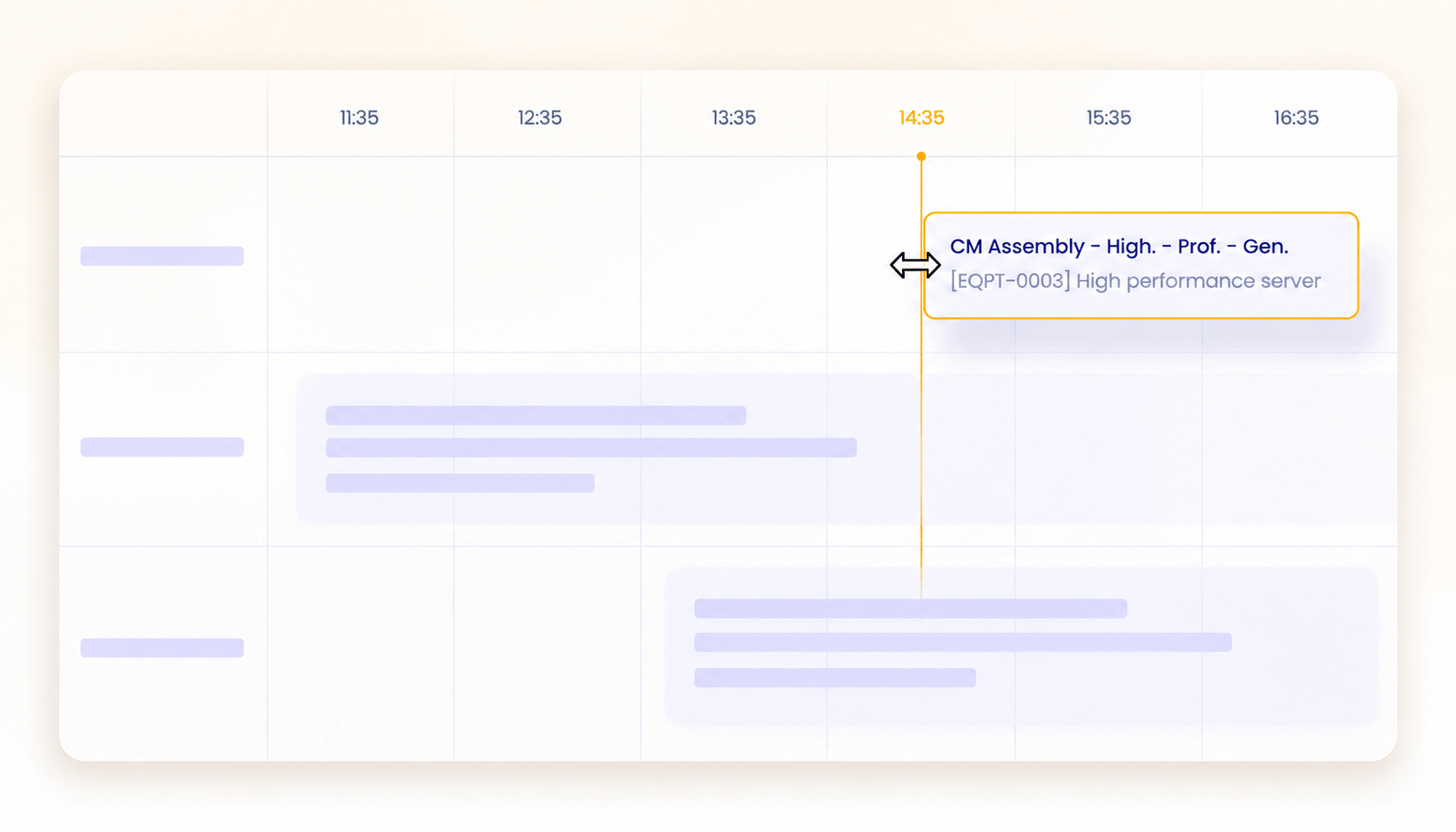
Works orders built from the bill of materials and the routing
Shop floor times and material consumption tracked
Subcontracting attached to the order
Actual output compared with the plan
Works order tracking and shop floor actuals in Axelor
Stock and replenishment

The right component, at the right time

Net requirements are calculated from firm orders and forecasts, and replenishment is triggered before the line runs short.
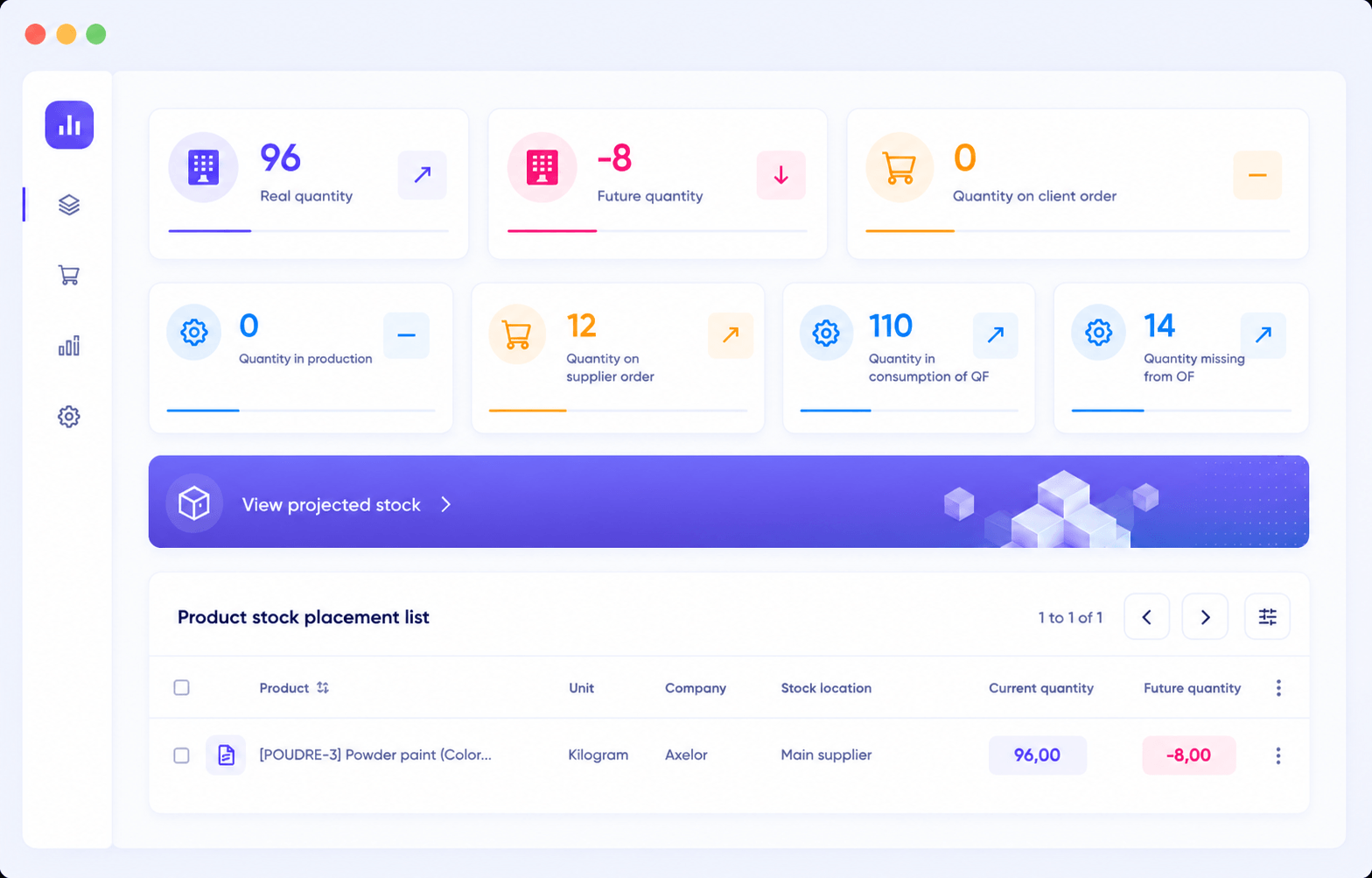
Net requirements planning from orders and forecasts
Automatic replenishment on thresholds
Receipts and consumption tracked in real time
Multi-warehouse and multi-site stock
Stock management and automatic replenishment in Axelor
Quality and traceability

Conformity evidenced, at every step

Inspection plans run alongside production rather than after it, and every batch keeps the trace of what went into it.
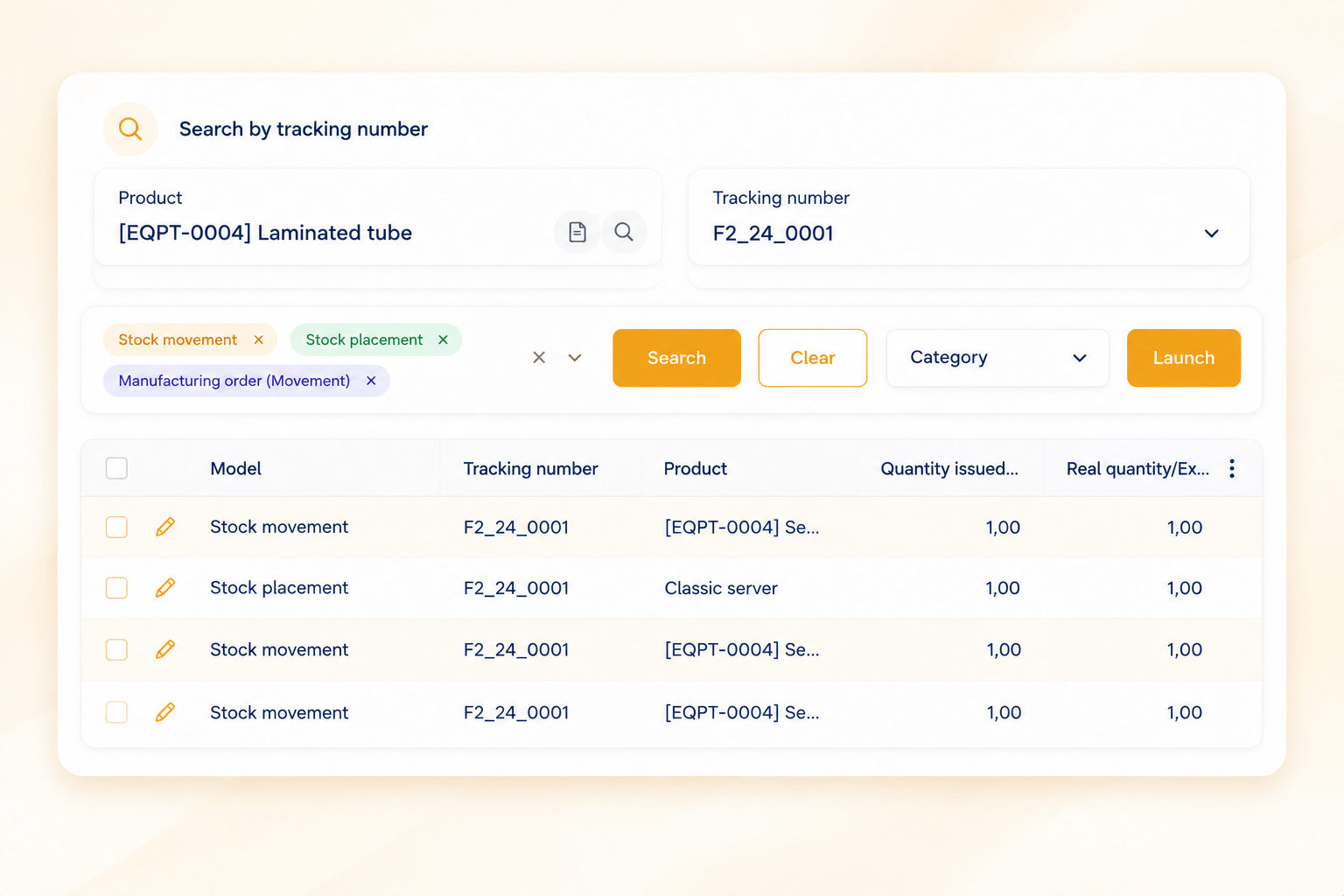
Inspection records and control plans built in
Traceability by batch and by serial number
Non-conformities and corrective actions tracked
Upstream and downstream traceability on a component
Quality inspection, non-conformities and batch traceability in Axelor
Costs and profitability

The true cost of production, not an estimate

Material, labour and overhead are gathered on the order as it runs. You compare standard cost against actual cost on every batch, and you know which products earn their margin.

Material, labour and manufacturing overhead
FIFO, LIFO or weighted average valuation
Standard cost and actual cost compared
Margin by product, by batch and by customer
Cost of production and manufacturing margin analysis in Axelor

See Axelor on one of your own production runs

A demo run by a manufacturing specialist, framed around your products, your routings and your quality requirements.

Make to order

From the configured quote to the real margin

For bespoke production, the quote and the works order are two views of the same job. What you configured at the quotation stage is what gets manufactured.

Multi-level quotes and configurable price lists
Advanced product configurator
Tasks and resources scheduled from the order
Margin tracked job by job
Configured quote and product configurator for make-to-order manufacturing in Axelor
Android and iOS application

Your shop floor in your pocket

Operators and supervisors reach the schedule, the works orders and the stock movements from the floor, without going back to a workstation.
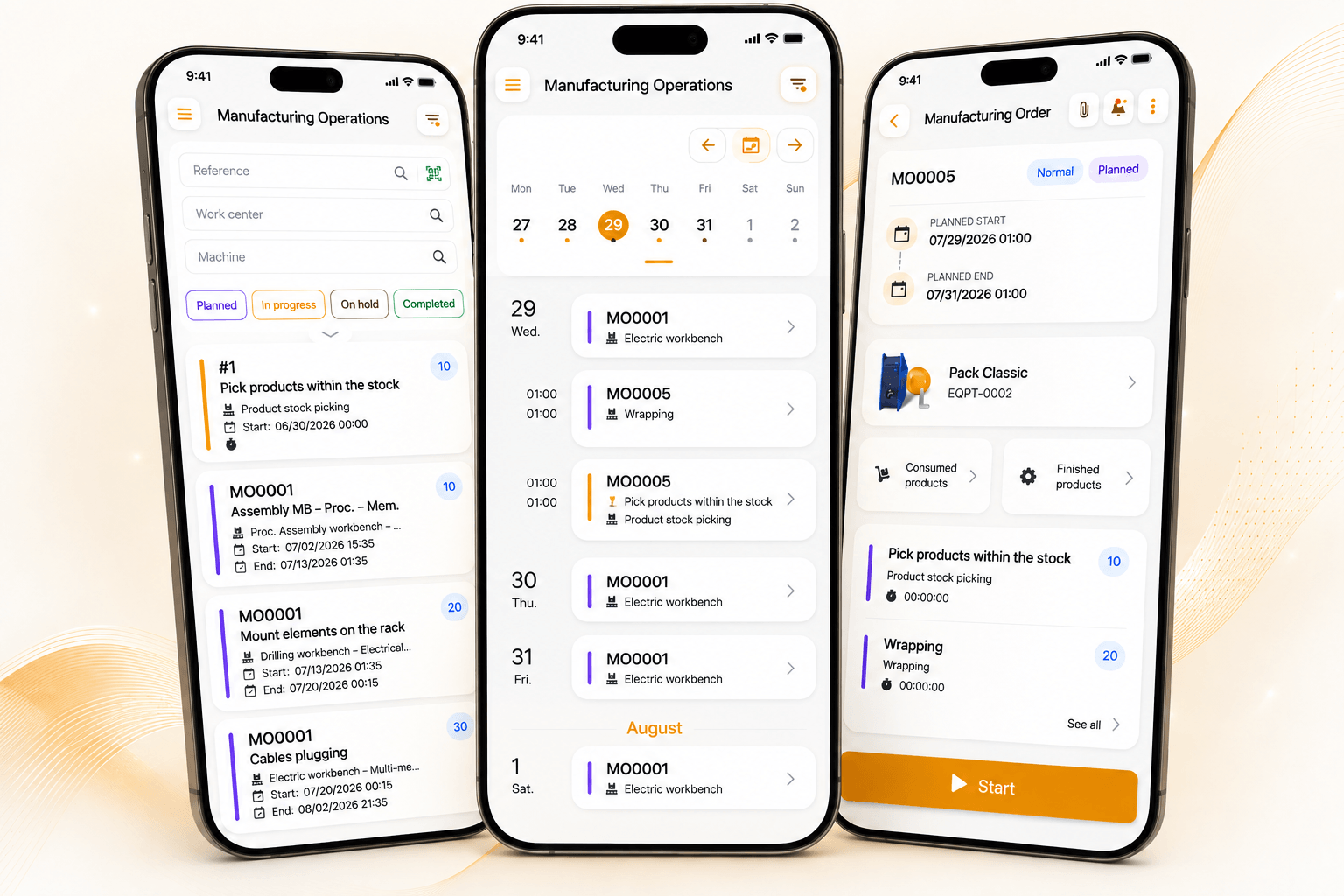
Production schedules visible at a glance
Direct access to works orders and stock movements
Time and consumption booked on the spot
Barcode scanning for movements and inventory
Axelor mobile application for production and shop floor operations
Business Intelligence

Build detailed, tailored production reporting

Follow the indicators that matter to your plant, on dashboards you build yourself rather than wait for.
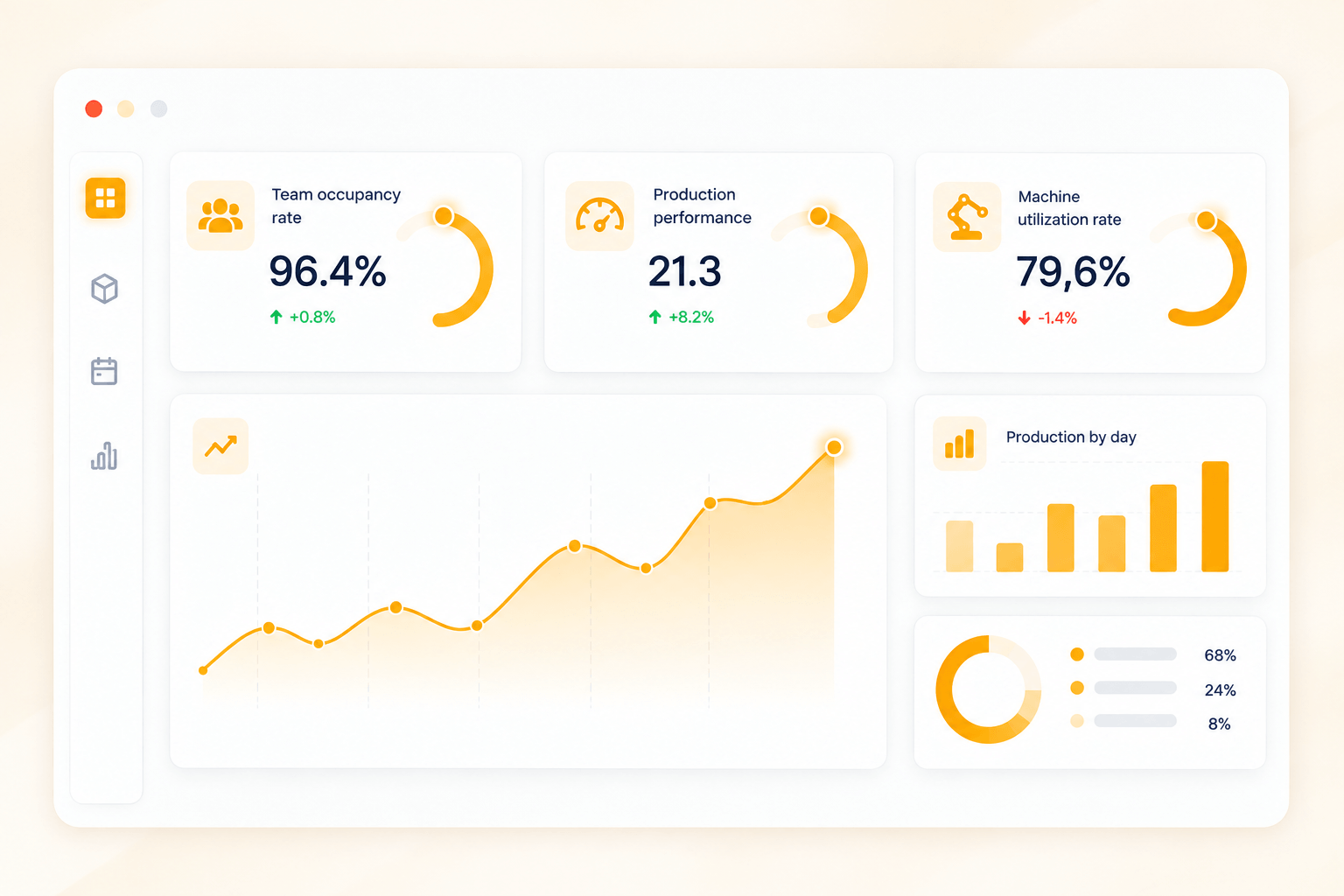
Customisable dashboards for production, cost and quality
Manufacturing KPIs: progress, load, scrap, service level
Comparison across periods, sites and product lines
Export and scheduled distribution of reports
Business intelligence dashboards and production reporting in Axelor
Ecosystem

Axelor at the heart of your information system

Your existing tools stay where they are. Dedicated connectors and an open API link your ERP to accounting, payroll, e-commerce and the machines on your floor.

Ready-made connectors to the tools in common use
Open API to connect your machines and your own developments
Controlled data import and export
Axelor connectors and open API to manufacturing business tools
No-Code

Your production does not fit a standard mould

Adapt the ERP to your most specific processes, without writing a line of code and without a development cycle.

Fields and forms

Add your own fields and reshape your screens from the Studio, with no development and no restart.

Business processes

Model your approval chains by drag and drop: conditions, branches, human tasks and sign-offs.

Built by AI

Describe what you need in plain language, AI generates a first version and your team refines it in the Studio.

What our clients say

Manufacturers who have taken back control of production

Thyssenkrupp
"Within a few months we saw the solution rolled out, which kept us inside the deadline management had set for the project. That pace mattered as much to us as the functional coverage."
Pierre-Dominique GentyCIO at TKMF
Citel
"As the project progressed we were able to identify time-consuming tasks that Axelor could automate. Each one we removed gave the teams back time for work that actually adds value."
Adrien GuichardChief Executive Officer
Platform

More than 50 integrated applications

The day you want to connect your production to accounting, purchasing or HR, there is no integration project to launch: it is already connected.

ProductionWorks orders, routings and shop floor tracking.
Planning and MRPNet requirements and finite-capacity scheduling.
StockReplenishment and movements.
QualityInspections, non-conformities and traceability.
PurchasingSuppliers, orders and receipts.
Job managementBudget, committed, actual and margin.
AccountingEntries, reconciliation and close.
Business processesApproval chains by drag and drop.
FAQ

Frequently asked questions

What is an agentic ERP for a manufacturer?
An agentic ERP is management software in which AI agents act directly on your production rather than simply displaying it. For a manufacturer, that changes three things: the shortage is flagged before the line stops rather than when the component runs out, the schedule rebuilds itself after a breakdown, and a batch can be traced in one question instead of a data extract. Axelor Factory Suite covers the full cycle, from demand plan to delivery.
What is the difference between an agent and a dashboard?
A dashboard reports: it shows a problem once it has happened, and waits for someone to notice. An agent acts: it detects the drift in your data, tells the right person and prepares what comes next, whether that is a purchase request or a revised schedule. Every action stays within the permissions of the user the agent is working on behalf of, and decisions above the threshold you set are escalated to a person.
Does Axelor cover MRP and production planning?
Yes, natively. Net requirements are calculated from firm orders and forecasts, taking stock, work in progress and lead times into account. Works orders are then built from the bill of materials and the routing, and placed on the schedule at finite capacity. Rescheduling after a disruption is done by drag and drop, and the change feeds through to the shop floor immediately.
How is the true cost of production calculated?
Material, labour and manufacturing overhead are gathered on the works order as it runs, not reconstructed at close. Stock can be valued FIFO, LIFO or at weighted average cost. Standard cost and actual cost are compared on every batch, which is what shows whether a product earns its margin or quietly loses it.
Can Axelor trace a batch or a serial number?
Yes. Traceability runs by batch and by serial number, upstream and downstream: from a finished product you find the components and suppliers that went into it, and from a component you find every batch and every customer it reached. Inspection records, control plans, non-conformities and corrective actions sit in the same chain.
Do we have to deploy the whole ERP to get started?
No. You can start with the production, stock and purchasing scope, then switch on the other applications as your needs grow. The point of Axelor is that those applications are already there and already connected: the day you want to link production to accounting or HR, there is no integration project to launch. On a well-defined scope, expect a few months rather than more than a year.
At a glance

What Axelor Factory Suite does at each stage of production

The five stages of the production cycle, from order to delivery.

The five stages of the production cycle in Axelor Factory Suite, from order to delivery.
StageWhat happens as standard in Axelor
OrderForecasts turn into a production plan. The components to be ordered surface before they run out.
Bill of materialsThe works order is built from the bill of materials and the routing, with no re-keying.
SchedulingThe schedule is recalculated at finite capacity after a disruption, following the shop floor's priorities.
Shop floorTimes and consumption feed back from the shop floor. Any delay on an order surfaces immediately.
QualityConformity is inspected, the batch is traced and the delivery is prepared once production is signed off.

Run your production and your margins in real time

We walk through the full cycle, from the demand plan to the true cost recorded once the batch is released.
