
budgeting software
Which budgeting software should your SME use in 2024?
Content
What is budgeting software?
Budgeting software is a computer tool designed to help individuals, families, businesses, or organizations track and manage their finances effectively. This solution can be either free or paid. It typically offers features that allow for planning, tracking, and controlling expenses, income, and investments. Here are some of the key features:
- Expense tracking: The software allows users to record all personal expenses, whether related to daily spending, bills, loan payments, online purchases, etc.
- Income management: It allows users to record income from various sources, such as salaries, rental income, investments, etc.
- Budgeting: Users can create a budget by setting spending limits for different categories, making financial planning easier.
- Balance tracking: The platform calculates and displays available balances after each transaction, helping to maintain real-time monitoring of the financial situation.

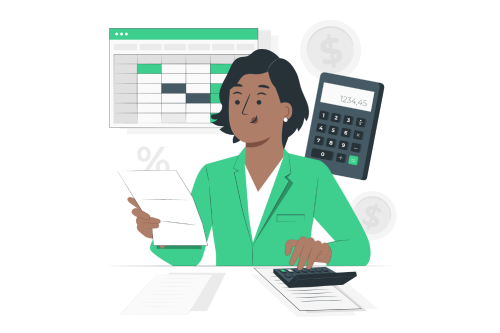
- Reports and charts: It generates reports and visual charts to help users analyze their spending habits and identify areas where savings can be made.
- Alerts and reminders: Some budgeting software offers alert features to notify you when you are approaching your budget limits or when bills are due.
- Debt management: They can help a business track and manage its cash flow, loan repayments, and debts, including interest rates and due dates.
- Financial planning: Some include long-term financial planning tools to help save for retirement, buying a home, children’s education, etc.
- Data import: They often allow for automatic importing of transactions from bank accounts and credit cards to simplify manual data entry.
- Data security: Most tools offer security features to protect a business’s sensitive financial information.
How does budgeting software work?
Budgeting software works by automating and simplifying the process of tracking and managing personal or business finances. Here’s how it typically functions:
- Financial data collection: The user starts by manually entering or automatically importing their financial transactions. This can include expenses, income, loan payments, investments, etc.
- Transaction categorization: The software uses categorization algorithms to automatically assign expenses to specific categories, such as groceries, rent, transportation, entertainment, etc. The user can also customize these categories.
- Expense and income tracking: It automatically updates balances and totals whenever a new transaction is added. This allows the user to instantly see how much money has been spent in each category compared to their budget.
- Reports and analysis: It generates reports and charts that can be downloaded, offering the user advice on analyzing spending habits, identifying trends, and making informed decisions about managing their money.
- Financial planning: Some solutions, even free ones, offer long-term financial planning tools to help set savings goals, simulate financial scenarios, estimate retirement, etc.
- Bank synchronization: Many of these software solutions offer the ability to automatically sync bank accounts and credit cards, reducing the need for manual entry of financial transactions.
- Customization: Users can typically customize settings, categories, alerts, and reports to meet their specific financial needs.
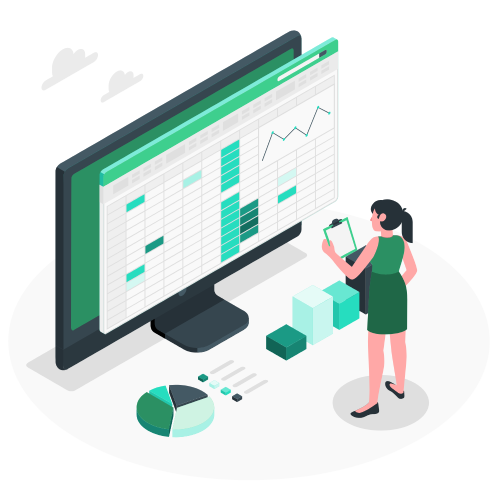
Why choose personal accounting software to manage your finances?
Choosing personal accounting software to manage your finances offers many advantages over manual tracking or using traditional methods. Here are a few reasons:

- Automation and ease of use: Personal accounting software automates many tedious tasks, such as manual entry of transactions. This greatly simplifies the financial management process and saves you time.
- Real-time tracking: They provide a real-time view of your financial situation. You can instantly see how much money you have, what you owe, and how your personal expenses compare to your budget.
- Informed decision-making: Analysis and reporting tools help you understand your spending habits, identify areas where you can save money, and make more informed financial decisions.
- Financial planning: You can use this type of software to set short- and long-term financial goals, such as saving for retirement, buying a home, or building an emergency fund. It can help you plan and track your progress toward these goals.
- Potential savings: By actively monitoring your spending and receiving alerts when you exceed your budget, you can avoid unnecessary expenses and save money over time.
- Data security: Financial data is typically stored securely, and personal accounting tools often include security features to protect your sensitive information.
- Accessibility: Most software is available on multiple platforms, including desktops, smartphones, and tablets, allowing you to access your financial data on any interface (iOS or Android) wherever you are, according to your preference.
- Time savings in the long run: While the initial learning curve for using software might take some time, it can save you a significant amount of time in the long run by automating many tasks and streamlining the management of your finances.
Are financial management apps reliable in terms of security?
The security of financial management apps can vary depending on the tool you use and how you manage your information. However, many financial tracking tools are designed with robust security measures to protect users’ sensitive information. Here are some important considerations:
- Data encryption: The best apps use strong encryption to protect information in transit and storage. This means your financial information is unreadable to anyone without the proper authorization.
- Secure authentication: They typically require secure authentication methods, such as strong passwords or two-factor authentication (2FA), to access accounts. Two-factor authentication adds an extra layer of security by requiring a code generated or received through another method (such as SMS) in addition to the password.
- Privacy and security policies: Before using a financial management app, it’s essential to carefully review its privacy and security policy. Ensure that it adheres to appropriate security standards and handles your financial data with the utmost care.
- Updates and patches: Developers regularly update their systems to fix known security vulnerabilities. Make sure to keep your app up to date to benefit from these security patches.
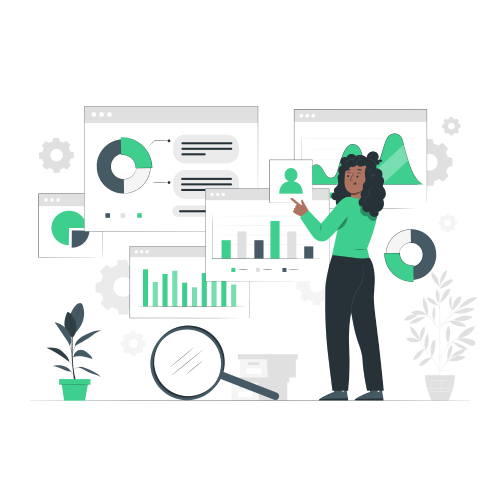

- Biometric authentication: Some offer biometric authentication options, such as fingerprint recognition or facial recognition, to enhance security.
- Permission tracking: Financial management and banking apps should allow you to control access permissions for your information. Limit access to financial data to authorized users only.
- Fraud protection: Some apps integrate fraud detection features to alert you in case of suspicious activity on your accounts.
- Data backup: Ensure that the tool regularly performs backups so that you can recover your data in case of loss or technical failure.
- Security notifications: If a financial management app experiences a security breach or data violation, the company should promptly inform you of the incident, provide guidance, and outline the steps taken to address it.
Can a budgeting app replace your bank’s app?
A budgeting app can complement your bank’s app, but it generally cannot fully replace it. Here are some important distinctions between these two types of tools:
Primary function
• Bank app: It is primarily designed to allow you to manage your accounts, track your balances, view your transfers, set alerts for account activity, transfer money, pay bills, etc.
• Budgeting app: These are focused on the overall management of your finances. They help you create spending budgets, track your expenses, plan your financial goals, analyze your spending habits, and gain an overall view of your financial situation.
Data source
• Bank app: It obtains information directly from your bank accounts and credit cards, meaning your expenses and transactions are automatically recorded.
• Budget tracking app: You generally need to manually enter your transactions or use data imports to feed the system with financial information.
Overview
• Bank app: It provides you with a real-time view of your specific accounts, which is useful for everyday transactions.
• Budgeting app: It offers an overall view of your finances, including bank accounts, credit cards, loans, investments, and more.
Financial analysis
• Bank app: It primarily focuses on past transactions and current operations. It may provide basic insights into your spending habits and offer cash flow advice.
• Budget tracking app
Financial planning
• Bank app: It generally does not offer advanced financial planning tools or goal-tracking features.
• Budgeting app: It helps you set budgets, define financial goals, track your progress, and plan for the long term.
How to integrate your cash expenses into these software programs for managing your finances?
Integrating cash expenses can be a bit more complex than integrating credit card transactions or bank transfers, as cash doesn’t automatically generate account statements. However, here are some steps you can follow to include your cash expenses in your budgeting software:
- Create a “Cash” or “Cash Expenses” category: In your financial software, create a specific category to track your cash expenses. This will allow you to allocate each cash expense to this category.
- Keep a manual record of cash expenses: When you make a cash purchase, get into the habit of recording the transaction in a notebook, on your phone, or using a note-taking feature to upload later. Include details such as the date, amount, description of the expense, and category (e.g., groceries, entertainment, transportation, etc.).
- Enter cash transactions into the software: At regular intervals (e.g., weekly or monthly), manually input your cash expenses using the information you recorded. Be sure to assign them to the “Cash” category or the specific category you created for this purpose.
- Regularly review your cash transactions: Make it a habit to review your cash expenses to ensure all transactions have been correctly entered and to monitor your overall budget.
- Be diligent in entry: The more diligent you are in regularly entering your cash expenses, the easier it will be to track your spending and maintain an accurate budget.
- Use receipts and invoices: If you have receipts or invoices for cash expenses, keep them safely and add them to your records to ensure a complete documentation of your cash transactions.
- Regular reconciliation: Regularly match the recorded cash transactions with the actual amount of cash you have spent. This will help you quickly detect any errors or omissions.
Discover how our ERP can help improve your company’s performance
An expert will contact you shortly to discuss your project.