No Code Tools
TOP 12 Best No Code Tools to Try in 2026
Content
What is a No Code Tool?
A No Code tool is software or a platform that allows users to create computer applications, websites, automated workflows, and other software solutions without needing programming knowledge. No Code tools aim to democratize software development by eliminating or reducing the need for manual coding.
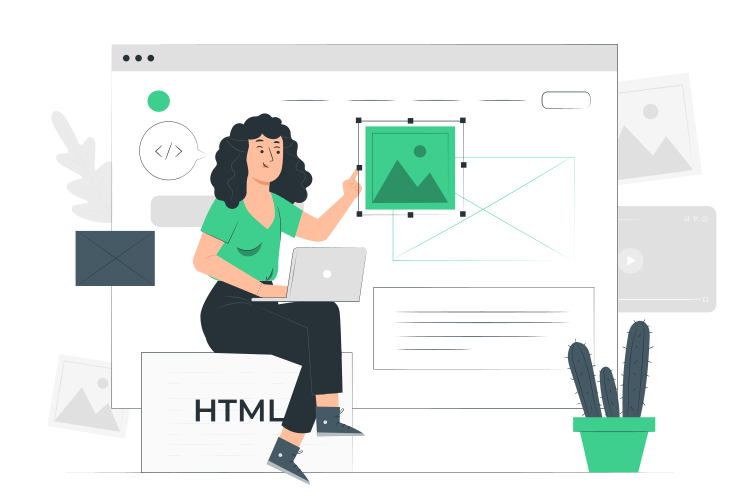
These tools typically offer an intuitive graphical interface and drag-and-drop features to assemble visual elements. They often use pre-designed components and ready-to-use templates, enabling users to quickly create functional applications without writing code.
No Code tools are designed to be accessible to a wide audience, including individuals without advanced technical programming skills.
6 Benefits of Using a No Code Tool

Ease of Use
No Code tools are designed to be intuitive, meaning you don't need programming knowledge to use them. Simple graphical interfaces and drag-and-drop features enable quick creation of applications and solutions.

Time Savings
By eliminating the need for manual coding, No Code solutions save time in the development and design process. You can create an app much faster, which can be especially useful for projects requiring quick implementation.

Democratization of Development
These tools open the door to software development for a wider audience, including those without technical training. This fosters innovation by allowing more people to bring their ideas to life.

Cost Reduction
Hiring professional developers can be expensive. The No Code solution enables small businesses and entrepreneurs to create solutions without needing to hire a development team.

Flexibility
While No Code solutions have limitations in terms of complexity, many still offer a degree of customization and flexibility. You can often adapt templates and components to meet specific needs.

Reduced Dependency on Developers
By using No Code tools, you can become more autonomous in creating and managing software solutions, thus reducing dependency on external developers.
It is important to note that for highly complex or highly customized applications, other development options may need to be considered. However, for many tasks and projects, No Code tools can be an effective and cost-efficient solution.
What Are the Differences Between No Code and Low Code?
The terms “No Code” and “Low Code” refer to different approaches to software development but share the goal of simplifying and accelerating the software creation process. Here are the main differences between the two:

No Code
As the name suggests, No Code platforms allow the creation of applications without requiring programming skills. Users can assemble elements using visual interfaces and drag-and-drop tools.
No Code tools are designed to be extremely simple, aiming to eliminate the need for coding. Users without development or app design experience can create functional applications.
They are well-suited for relatively simple tasks and projects that do not require highly advanced features or complex customizations. However, they have their limitations in terms of complexity and personalization.
Low Code
Low Code solutions significantly reduce the amount of coding required to develop an application but do not completely eliminate the need to code. Basic technical skills may still be necessary.
Low Code tools generally offer more flexibility and customization than No Code tools. They allow developers and technical users to create more sophisticated applications with advanced features.
Low Code platforms are suitable for more complex applications, where some programming logic is necessary, but development is accelerated compared to traditional methods.
In summary, No Code tools focus on extreme simplicity and require no coding skills, while Low Code tools offer more flexibility and power for more complex projects, reducing the coding required compared to traditional methods. The choice between Low Code and No Code depends on the specific requirements of the project, the level of customization needed, and the technical skills of the user.
TOP 12 Best No Code Tools
Axelor
Axelor is an open-source enterprise management software suite (ERP) designed to help businesses automate and optimize their operational processes and commercial activities. Axelor offers a range of modules and features to manage different aspects of a business, from accounting to sales and human resources.
Based entirely on a Low Code/No Code approach, Axelor natively integrates key digital transformation tools, including Open Source ERP, CRM, BPM & workflows, BI & Analytics, and web portals & e-commerce.
The Axelor platform has over 1,500 ready-to-use connectors and comes in several vertical solutions, such as production and industrial management, distribution and trading, public sector, service companies, consulting firms, and training organizations.
Being Low Code/No Code, Axelor provides the flexibility and customization necessary to meet the specific needs of any business.

Airtable
Airtable is an online collaboration platform that combines the features of a spreadsheet and a database. It allows users to create and manage customized databases to track, organize, and collaborate on various types of information, ranging from tasks to inventories and resources.
Airtable is used in various fields, including project management, content management, inventory tracking, event planning, customer tracking, and more. Its flexible and visual approach makes it an attractive tool for individuals and teams wanting to organize and track information in a personalized and collaborative way, without the need to code or set up complex database systems.

Monday
Monday.com (formerly known as “dapulse”) is an online work management platform that helps teams and businesses organize their projects, tasks, and workflows. It is a visual and collaborative project management solution designed to improve communication, coordination, and productivity within teams.
Monday.com is used across diverse industries and by teams of various sizes. Its visual interface and features make it a popular choice for teams looking to enhance collaboration and project management.

Outsystems
OutSystems is a solution that enables organizations to quickly build, deploy, and manage professional web and mobile applications. Unlike No Code and Low Code tools that mainly target simpler projects, OutSystems specifically caters to more complex and customized applications while providing a visual and accelerated development environment.
OutSystems is commonly used by businesses to develop custom enterprise applications, management systems, performance tracking systems, client portals, and much more. It is a powerful solution for companies seeking an efficient way to create complex applications while reducing development time and required resources.

Bubble
Bubble is a platform that allows users to create interactive and functional web applications without writing code. What makes Bubble unique is its ability to build complex web applications with advanced features using a visual and graphical approach.
Bubble is used by entrepreneurs, startups, and small businesses to create prototypes, Minimum Viable Products (MVPs), internal applications, and client-facing applications.

Service Now
ServiceNow is a cloud-based enterprise service management solution that offers a complete suite of tools to automate and manage operational processes and services within businesses. It is widely used to manage IT services, operations, human resources, facilities management, security, and other business domains.
ServiceNow is utilized by organizations of all sizes and industries to improve operational efficiency, optimize service delivery, automate workflows, and enhance the user experience.

Zapier
Zapier is a task automation platform that connects and synchronizes web applications, even if they do not have direct integration capabilities. With Zapier, you can automate actions between different applications without writing code.
Zapier is particularly useful for individuals and teams aiming to streamline workflows, automate repetitive tasks, and synchronize data across multiple applications. It saves time and boosts efficiency by eliminating the need for manual repetition of redundant tasks.

Make (ex-Integromat)
Make is a workflow automation and modeling solution that allows users to connect applications and create automated scenarios using a visual interface. With Make, you can create complex automations by linking multiple applications from various environments, defining triggers and actions, performing data transformations, and managing advanced workflows.

Webflow
Webflow is a website design and development platform that allows businesses to create, deliver, and manage websites without relying on developers. Users can design websites without manually writing HTML, CSS, or JavaScript code.
Webflow is used by web agencies and entrepreneurs to create professional websites, online stores, blogs, portfolios, and event sites.

Adalo
Adalo is a solution that enables users to build interactive applications without needing to code. It primarily focuses on mobile app development and provides a visual and intuitive approach to creating user interfaces and functionalities.
This tool is well-suited for individuals without programming skills who want to create interactive applications with a visual approach.

Glide
Glide is a No Code platform that enables users to design and build interactive mobile and web applications using spreadsheets like Excel or Google Sheets as the data source. Glide offers a user-friendly approach to creating applications from existing data.

Notion
Notion is a knowledge management and collaboration solution that enables users to create, organize, and share notes, documents, databases, projects, and more. It is a versatile tool that combines elements of note-taking, wikis, and task/project management within a unified interface.
Notion is used by teams and organizations for a variety of purposes, such as note-taking, internal documentation, planning, task tracking, creating custom databases, and project management. Its flexibility, customization capabilities, and visual approach make it a popular tool for organization and collaboration.
Discover how our ERP can help improve your company’s performance
An expert will contact you shortly to discuss your project.