
The field service ERP that connects your technicians, your contracts and your after-sales service
From the installed base to the job report signed on site, run the whole chain in one system: requests, scheduling, jobs, maintenance contracts and invoicing.
Built for companies that install, maintain and repair
As soon as your teams work at customer sites on equipment you track over time, you are doing field service.
Building services and energy
- Heating, ventilation and air conditioning
- Renewable energy and solar
- Multi-technical maintenance
- Water and air treatment
Equipment and industry
- Industrial machinery and equipment
- Metrology and measuring instruments
- Commercial catering equipment
- Equipment distributors
Building and safety
- Lifts and automatic doors
- Fire safety and prevention
- Joinery, shutters and gates
- Building finishing trades
One chain, from request to invoice
These five stages live in the same system. Information entered once follows through to the invoice, and everyone can see where the job stands.
The request comes in
A reported breakdown, a contractual visit falling due or an installation to schedule. Everything arrives in one place.
The job is scheduled
The right technician, with the right skills, within the response time you committed to.
The technician works on site
The technician has the installed base, the history and the checklist on a mobile, including with no network coverage.
The report comes back
Readings, parts fitted, time spent and observations land straight in the ERP.
The invoice goes out
The split between what the contract covers and what is rechargeable is made automatically.
AI that acts on your jobs
Flags a commitment before it is missed
The agent detects the jobs at risk of overrunning, alerts the manager and proposes the rescheduling, already prepared.
Rebuilds the technicians' week
The agent recalculates the schedule against skills and contractual commitments, then reassigns the jobs.
Pulls up a unit's history
The agent queries the installed base history, consolidates past jobs and returns a sourced answer.
Builds the reporting you are missing
Agent Studio creates the dashboard and the fields it needs, without a line of code.
A schedule that reflects what happens on site
Assign every job to the right technician, absorb emergencies and reschedule after a disruption without breaking the commitment you made.
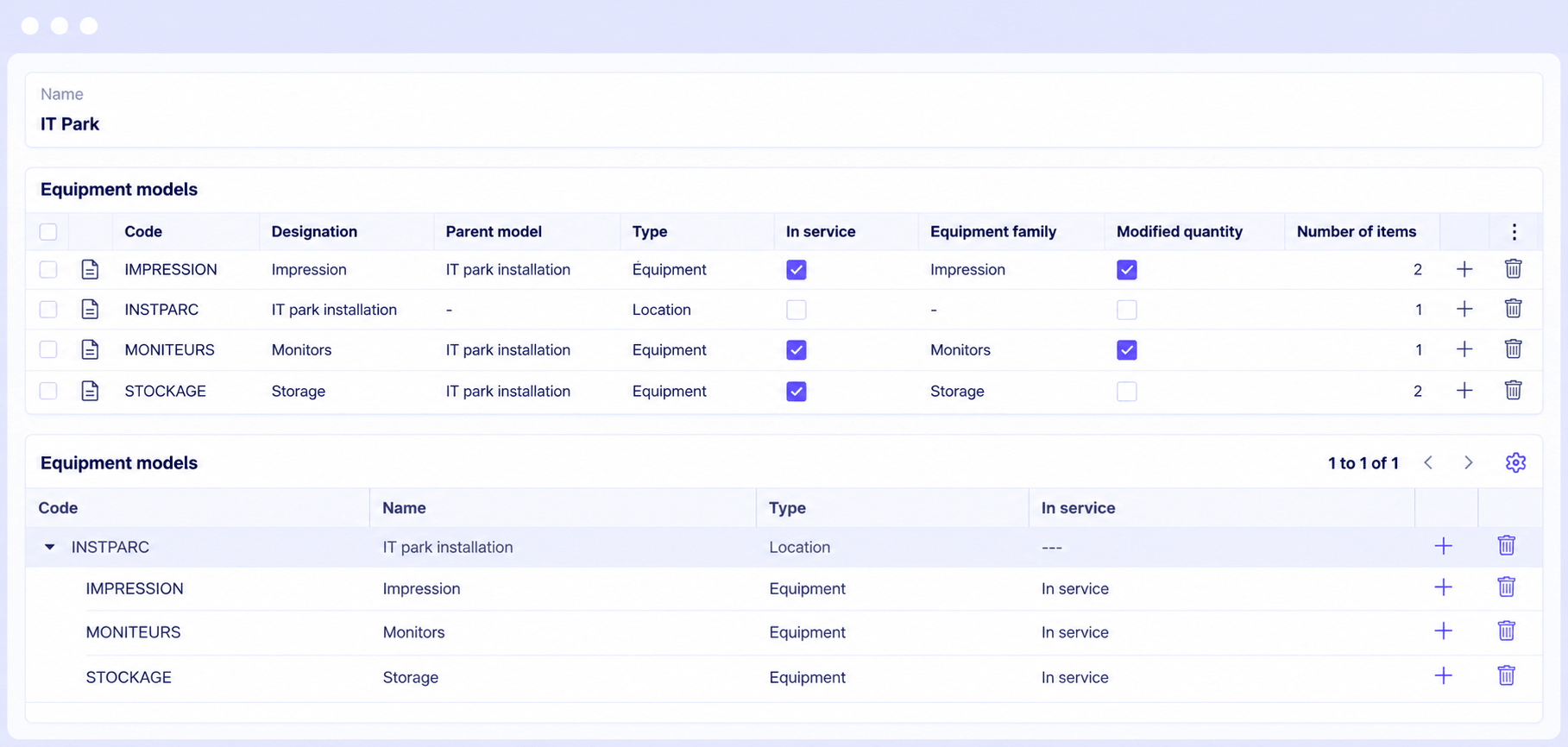
Know exactly what is installed, and where
Track each customer's installed base and every unit on site. Every asset is identified by its tracking number, with the full history of the jobs attached to it.
- Reusable installed-base templates from one site to the next
- Traceability by serial or tracking number
- Job history by unit
- Installed base viewable and editable from mobile
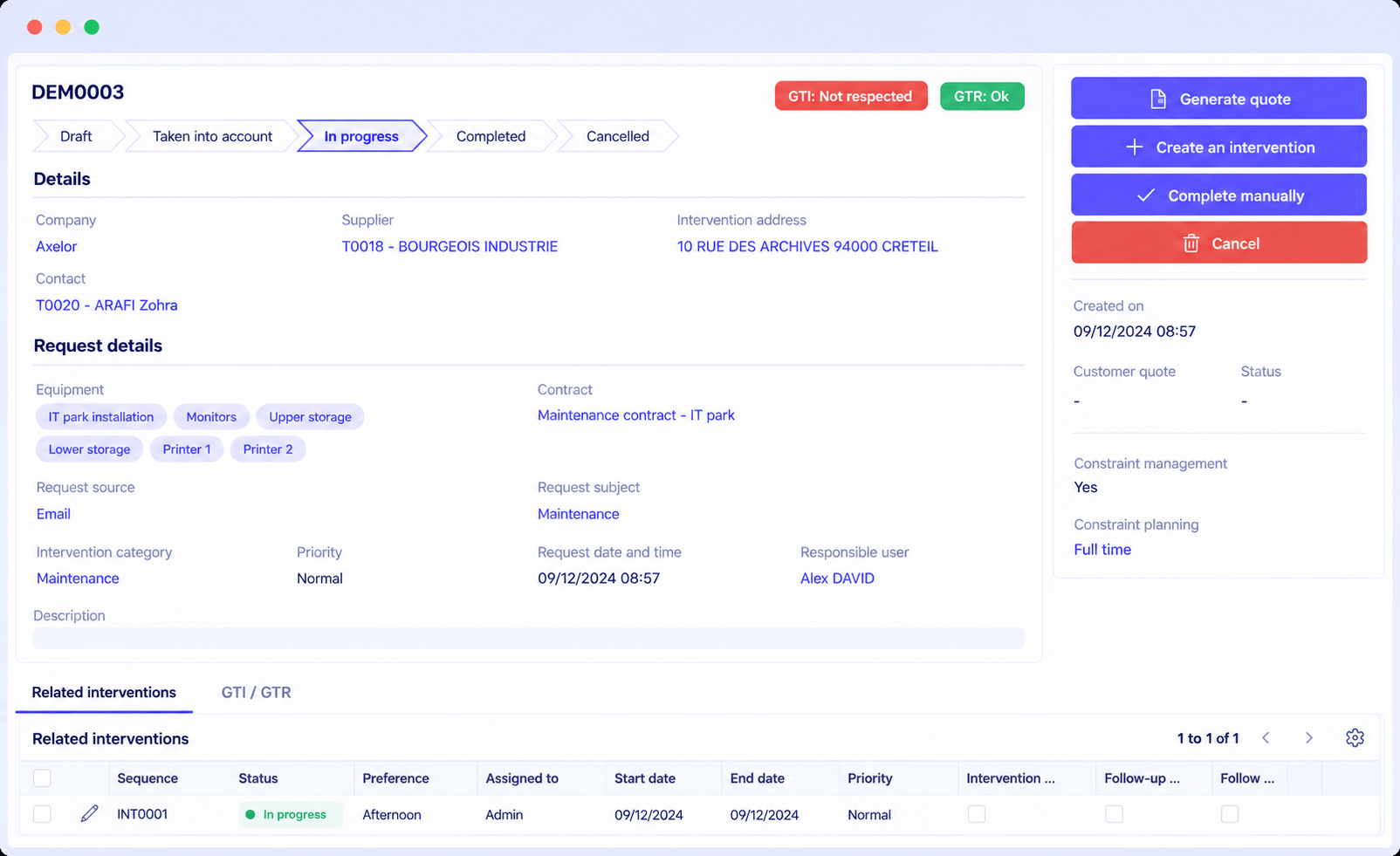
Never lose a request, or a contractual deadline
Receive and track requests as they come in, and schedule the job with no re-keying. The system handles response time commitments, so the promise made in the contract is kept.
- Requests tracked in real time
- Job scheduled straight from the request
- Response time commitments managed
- Direct link to the customer's installed base and contract
From purchase order to fitted part, one flow
What the technician fits on site updates your stock and feeds the invoice, with no re-keying.
The need is identified
Parts are attached to the job, based on the type of work or the unit involved.
The parts are reserved
Availability and depot visible at a glance, reserved before the technician leaves.
Fitting is recorded on the spot
The technician scans the barcode from a mobile, even with no network coverage.
Stock and invoice follow
Stock movement generated, replenishment triggered, parts outside the contract recharged.
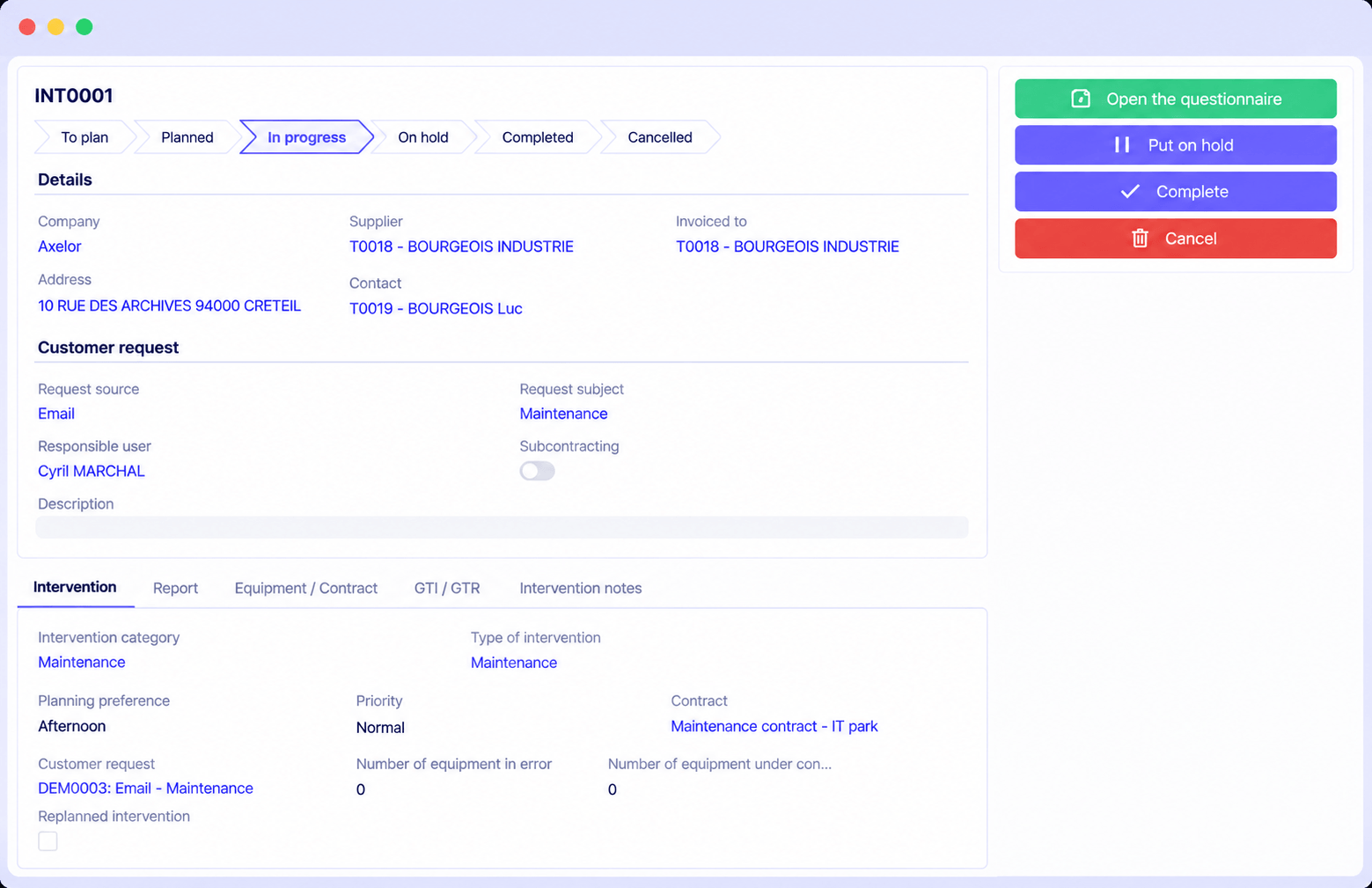
See the status of every job at a glance
See the status and the schedule of your jobs, follow every step and find the detail of the units involved. Job reports stay accessible and attached to the right record.
- Overview of job status and schedule
- Step-by-step tracking through to closure
- Job reports attached to the units
- Preventive and corrective jobs alike
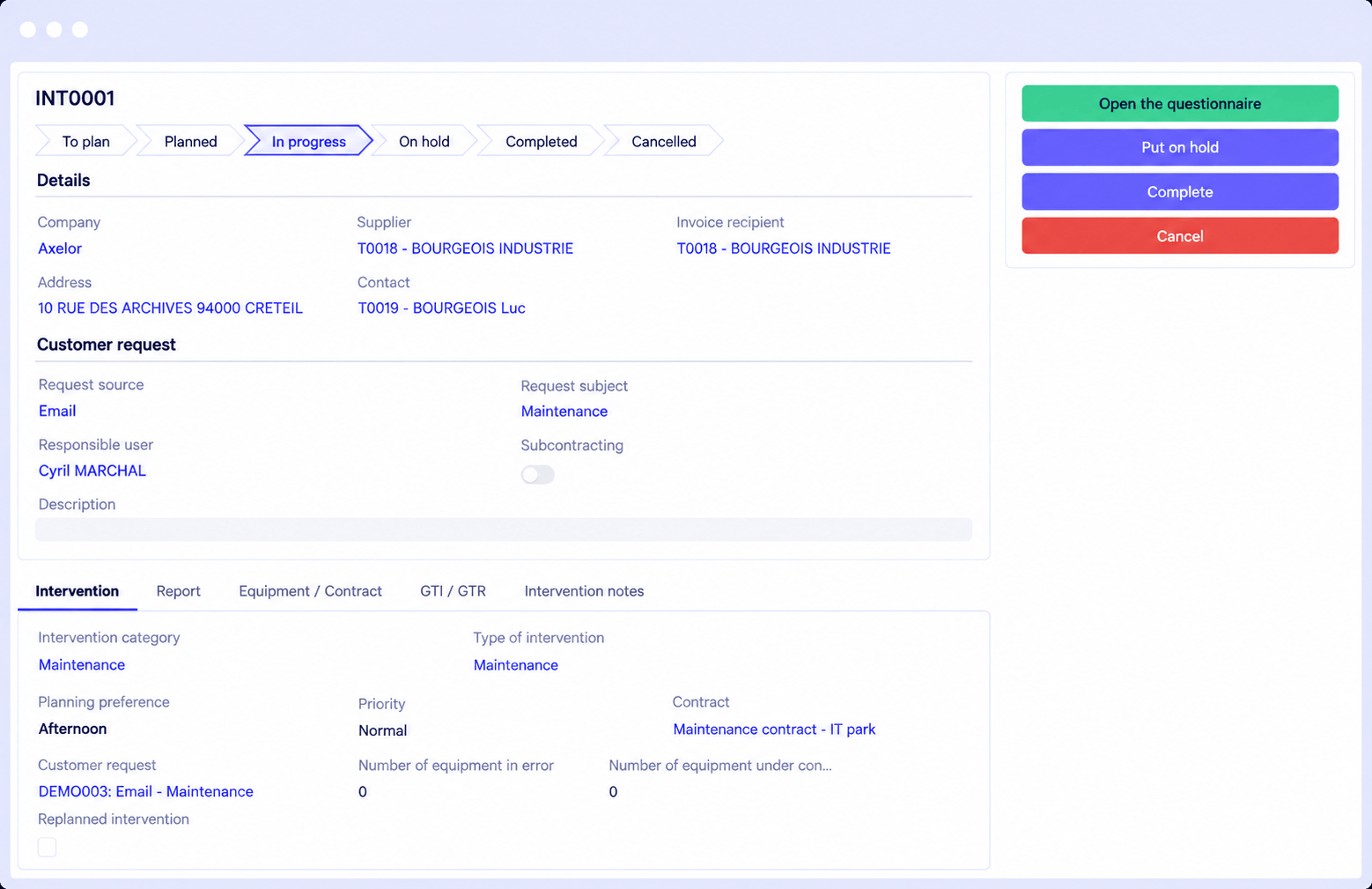
A technician never leaves without the information you need
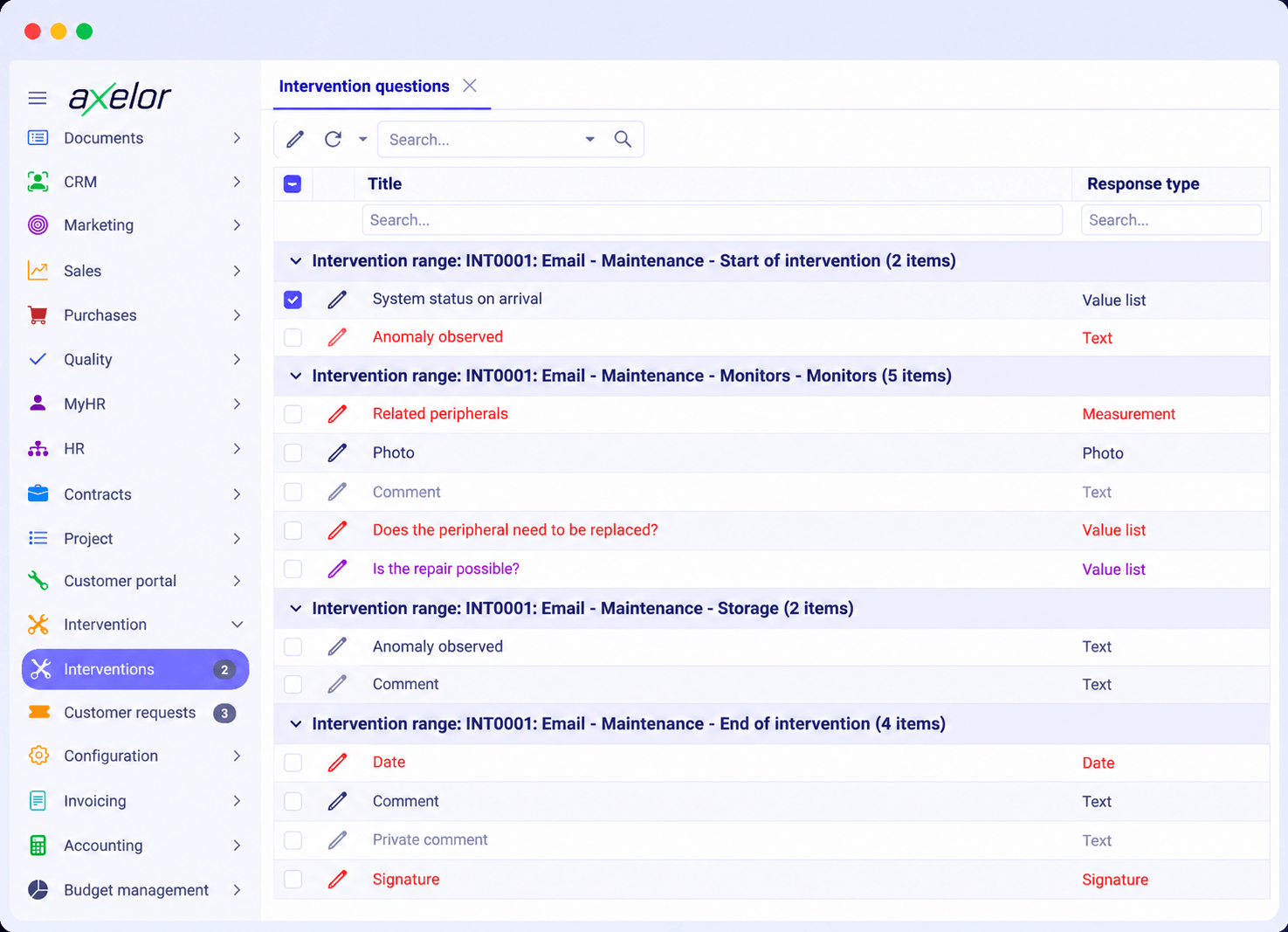
Build fully configurable checklists to guide your technicians through the job. You get complete, consistent reports, and you see straight away what needs to be scheduled next.
- Checklists configurable by job type
- Nothing forgotten while on site
- Reports consistent from one technician to the next
- Immediate visibility on the work to reschedule
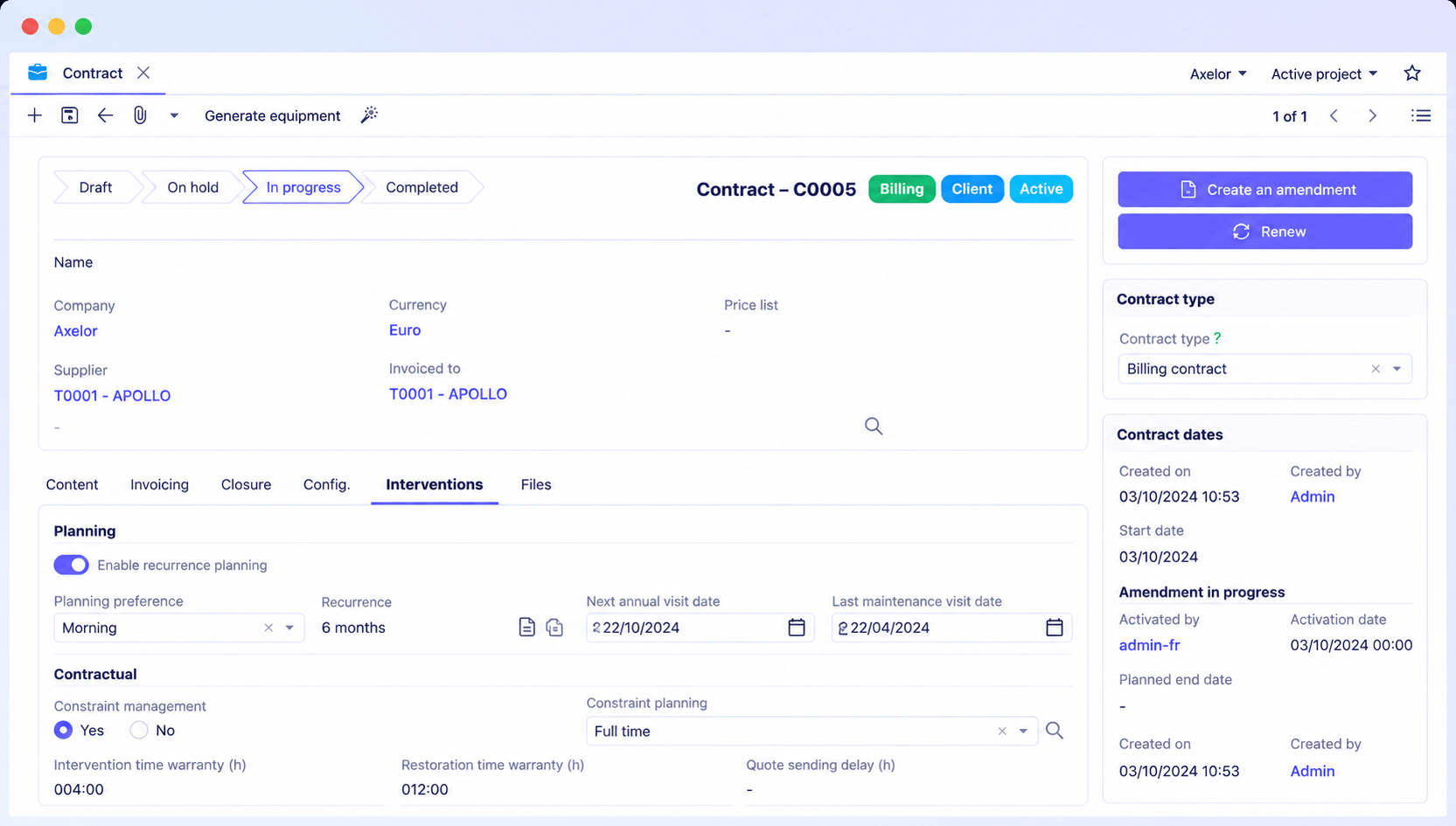
Your recurring visits schedule themselves
Job management is wired directly to the contract module. The system schedules the next recurring visits automatically, based on the units under contract, for the full term of the agreement.
- Contracts attached to customers, sites and units
- Recurring visits scheduled automatically
- Clear split between what is covered and what is recharged
- Visibility on the maintenance plan ahead
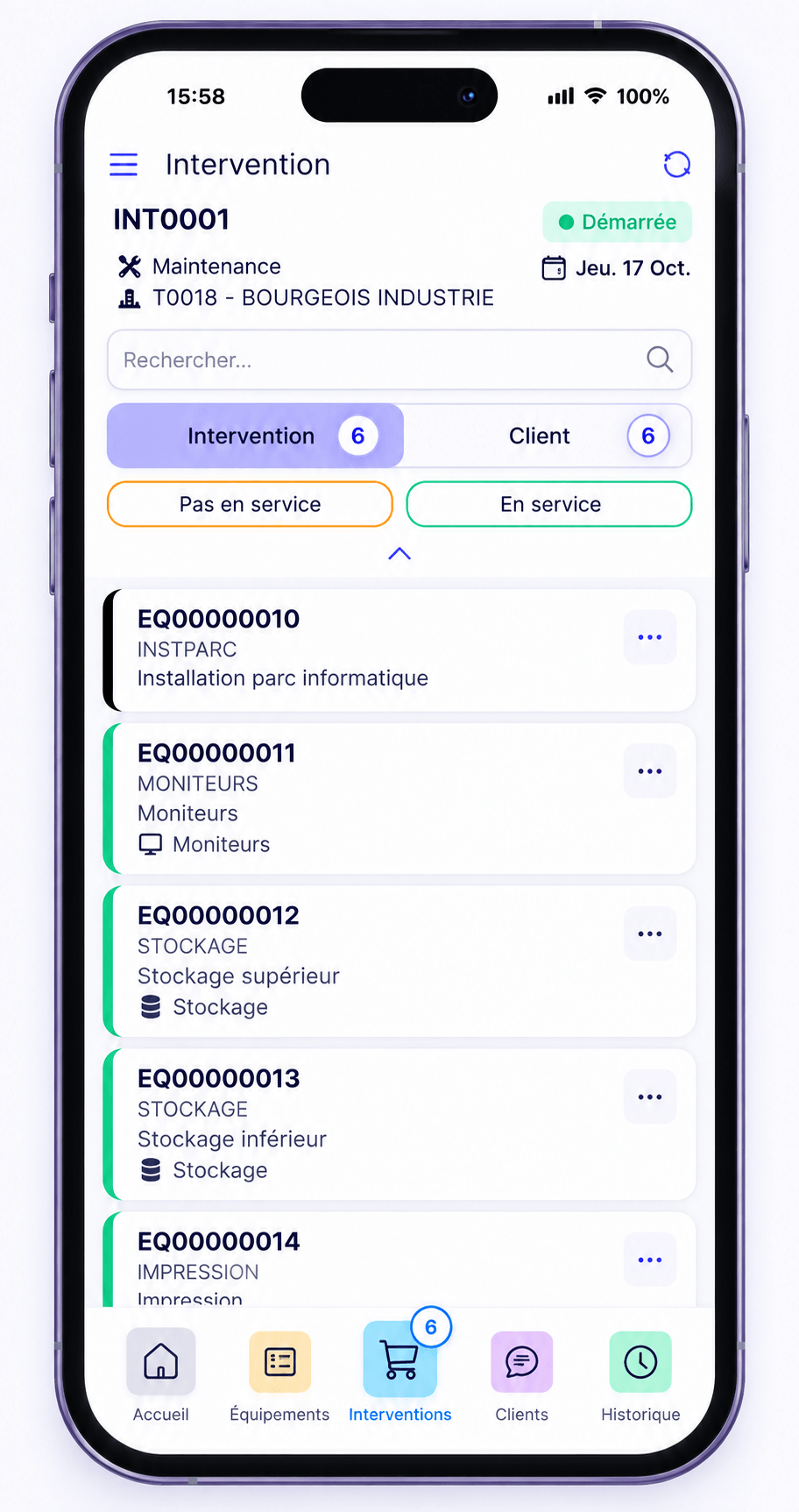
The field keeps working, even with no network
Your technicians reach the job, the installed base and the units on Android and iOS. Offline mode is native and configurable: you decide what stays available where there is no coverage.
- Jobs tracked and completed on site
- Quality inspection readings, including offline
- Barcode scanning by handheld reader or camera
- Screens customisable from the Studio, with no development
Behind the job, a full ERP
At Axelor, a job is never an island. It shares the same foundation as your quotes, your stock, your accounting and your customer records. Information entered once travels everywhere, with no re-keying.
Quotes and invoicing
The repair quote, the recharge outside contract and the invoice all come from the same record as the job, with no re-keying.
Stock and spare parts
Parts used on site come out of stock. You manage replenishment without a spreadsheet on the side.
Profitability by contract
Time spent, parts fitted, travel: you know which contracts and which customers actually make money.
CRM and customer records
A job is also a sales opportunity. The CRM and customer support share the same record as the installed base.
Time and expenses
The technician books hours and photographs receipts from the mobile. Payroll and recharging follow.
Quality and compliance
Inspection readings, non-conformities and document traceability rely on the quality module, available on mobile too.
A day where agents work alongside your teams
Here is what the agents take on during an ordinary day, while your technicians are out on jobs.
The route is ready before the crews arrive
The agent checks the day's jobs, confirms each technician has the parts they need in stock, and flags the ones missing.
Scheduling agentAn emergency comes in and qualifies itself
A breakdown is reported on a unit under contract. The agent identifies the applicable response time, pulls up the unit's history and proposes the slot that meets the commitment.
Request agentA delay starts threatening another customer
A job overruns. The agent detects the risk to the appointments that follow, notifies the customer affected and prepares the rescheduling for approval.
Scheduling agentAn incomplete report is caught the same day
A checklist was left partly filled. The agent spots it at closure, prompts the technician while they are still on site, and saves a pointless return visit the following week.
Quality agentThe day's invoicing is ready
The agent separates what the contract covers from what must be recharged, prepares the lines and flags the jobs whose margin is out of the ordinary.
Invoicing agentWhy service companies choose Axelor
Six strengths that weigh on the decision, from the executive team through to the technicians in the field.
A full ERP from day one
Field service shares the same data model as sales, purchasing, stock, accounting and CRM. There is no connector to maintain between the field and head office.
Open source and auditable
The source code is open. You are not locked inside a black box, and your teams or your implementation partner can check how it actually works.
French software vendor, hosting of your choice
Cloud, private cloud, a sovereign European provider or your own servers. This matters as soon as your jobs take you onto sensitive sites.
Adaptable with no development
Your job forms, your checklists and your mobile screens are changed from the No-Code Studio. Your trade does not fit a standard mould.
AI that acts on your data
Agents that reschedule a route, raise an alert before a deadline is missed and build the dashboard you are missing, within the permissions you set.
A network of 60 implementation partners
Roll-out is led by partners who know your trade, with direct access to the vendor's product teams.
Frequently asked questions about field service
What is field service management software?
What is the difference between field service software and a CMMS?
How do I track the installed base at my customers' sites?
Can technicians work without an internet connection?
How are maintenance contracts and recurring visits managed?
How do I make sure job reports are complete?
Can response time commitments be met?
Can the software be adapted to my trade without development?
How long does implementation take?
Do we have to deploy the whole ERP to use field service?
Let us look at your jobs on your own installed base
Our experts start from one of your real contracts and walk through the full journey, from the customer request to the report signed on site.